Tag: Apraxia app for iPad

  • Vowel Viz Schools App Review and Giveaway!!

    Vowel Viz Schools App Review and Giveaway!!

    The people over at Complete Speech and Michelle over at Trust Me, I’m a Mom and myself all teamed up to offer you a great giveaway for the visual feedback app VowelViz!   I was not paid to review the app and am only offering my personal opinion not only as a mother with a child who has a speech delay, but also as an SLP who works with kids.

    I was really excited about VowelViz because I love visual feedback to aid in therapy. The price for this type of programming has typically been very expensive, but since tablets have made many more things easily accessible, the people at Complete Speech created a quality and affordable app that provides visual feedback for vowels and the vocalic R sound. 

    The company has offered great video tutorials to start using the app as well.   They are available at:

    http://completespeech.ning.com/tips-main

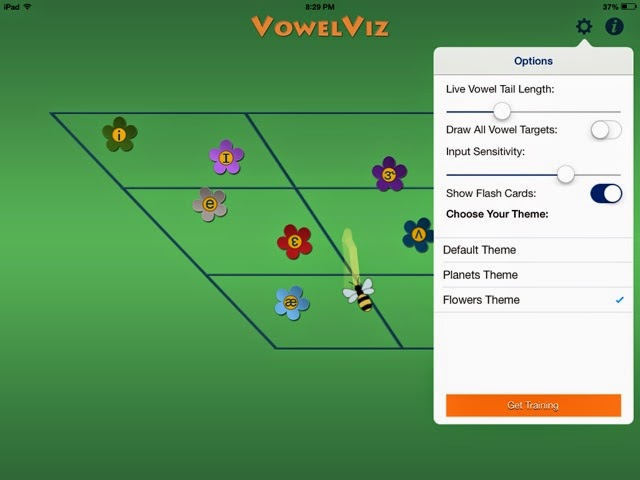
    The first thing you must do before using this app is go to settings (seen below) and play with the mic sensitivity.  Even though I watched the video tutorial, I failed to do this initially and I would have saved myself a lot of time had I remembered this step.

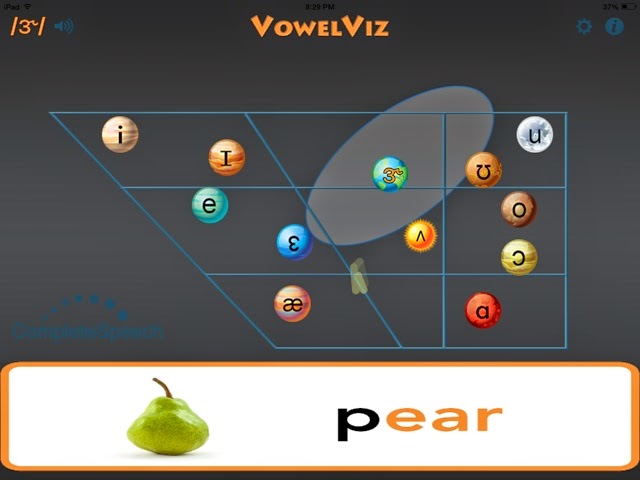
    Once the mic sensitivity is adjusted, you can begin using the application.  You can also adjust the vowel tail lengths and choose varying themes.  If you are an SLP, the picture above probably brings you back to your grad school days learning the vowel quadrilateral.  We don’t often reference the quadrilateral, but this is a great visual reminder of where vowels are produced in the mouth. Quadrants within the vowel quadrilateral act as relative targets and help users orient themselves to where in the mouth they should be producing the vowel. According to the website, “Learners are also able to see how their vowels compare with the researched averages of others.”  Personally, I wasn’t always exactly on the target; however, my clients and I did at least manage to hit within the range that is highlighted around each vowel.  (seen below)
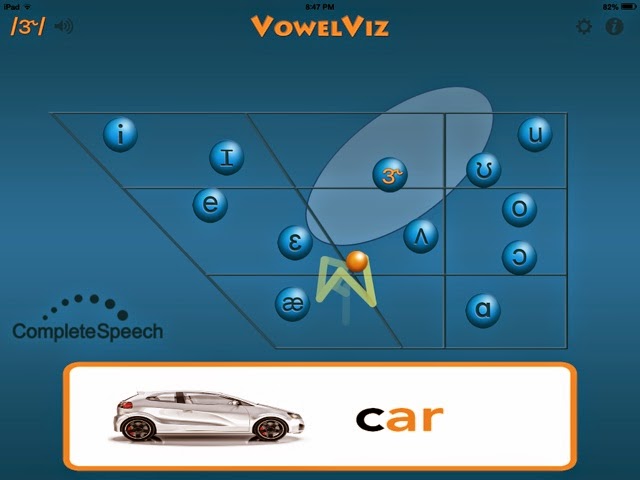
    If you upgrade to VowelViz schools, there are options to vary the themes and add flash cards, which is nice.  These simple upgrades make the app more fun and visually appealing.
    My daughter and my 1st grade clients with R goals loved using Vowel Viz!  They loved seeing a visual representation of their voice and trying to move the ball into the target range.  I can see this being a great, practical tool to supplement therapy and/or provide great practice for correct production of vowels and the vocalic R. 
    For Childhood Apraxia of Speech, vowel inconsistencies are a common characteristic.  Vowel distortions make a child extremely unintelligible.  Unfortunately, vowels and the R sound are difficult to teach because there is not a specific explanation for what to do with the tongue and other articulators in the mouth to make the sound correctly.  A visual feedback tool like Vowel Viz would be helpful for the client to visually see what the tongue is doing in the mouth.

    What I don’t love:  Though the company offers incredible videos on how to use their app, I was still initially challenged to figure out the right configuration so the app would work correctly and accurately.  However, once I adjusted the mic sensitivity and played around with it more, I really started to get the hang of it and feel it can be a valuable tool at home and in therapy.

    What I love: I would definitely recommend upgrading to the VowelViz schools to get the full perks the app has to offer.  The change in themes are fun, and the flashcards are nice to have so accessible being within the app.  The vowel quadrilateral as a general frame provides another good visual feedback tool to help explain to clients what the tongue is doing in the mouth when making the vowels, and just having an affordable visual feedback tool is amazing.  I really look forward to more apps from this company, because visual feedback is so powerful in therapy.

    To enter to win this great app, click on the link below!!  Like SLPmommyofApraxia on Facebook through the link below for easy entry!   Raffle closes May 12th at Midnight.  Winners will be contacted via email and have 48 hours to claim the prize, or it will be awarded to someone else! Good luck!!

    a Rafflecopter giveaway

  • Speech FlipBook App Review

    Speech FlipBook App Review

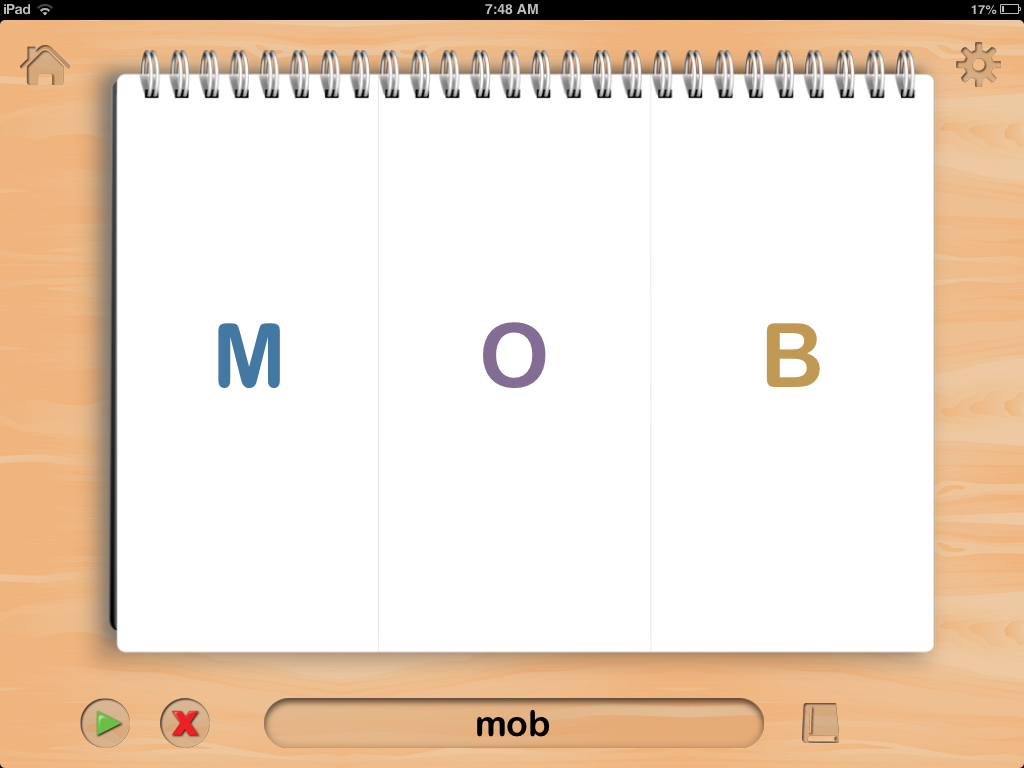
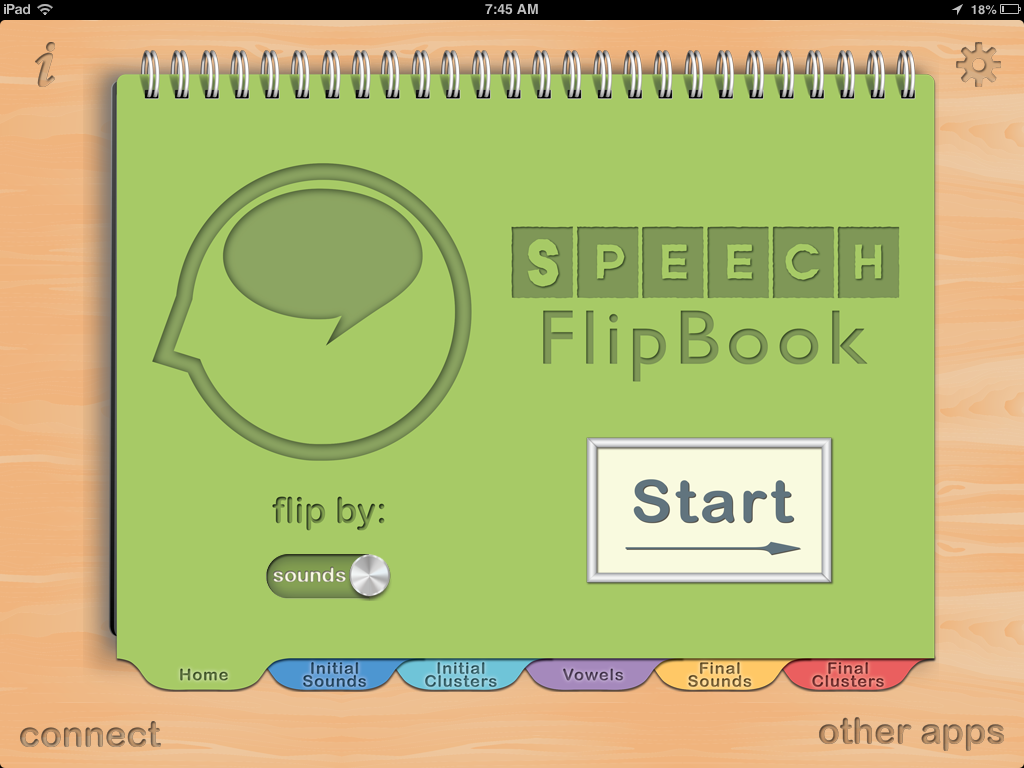
    Speech FlipBook by TACTUS Therapy is a versatile app more suited for use with older children or adults.  It is in a flip book format seen below. It has the option to flip each section of the word (onset, nucleus, and coda), or to flip the entire word.
    It contains literally every sound and consonant cluster found in words, allowing practice at the single syllable level.  It is completely customizable, allowing you to choose any consonant, vowel, or consonant cluster combination you want in any position of  the word.

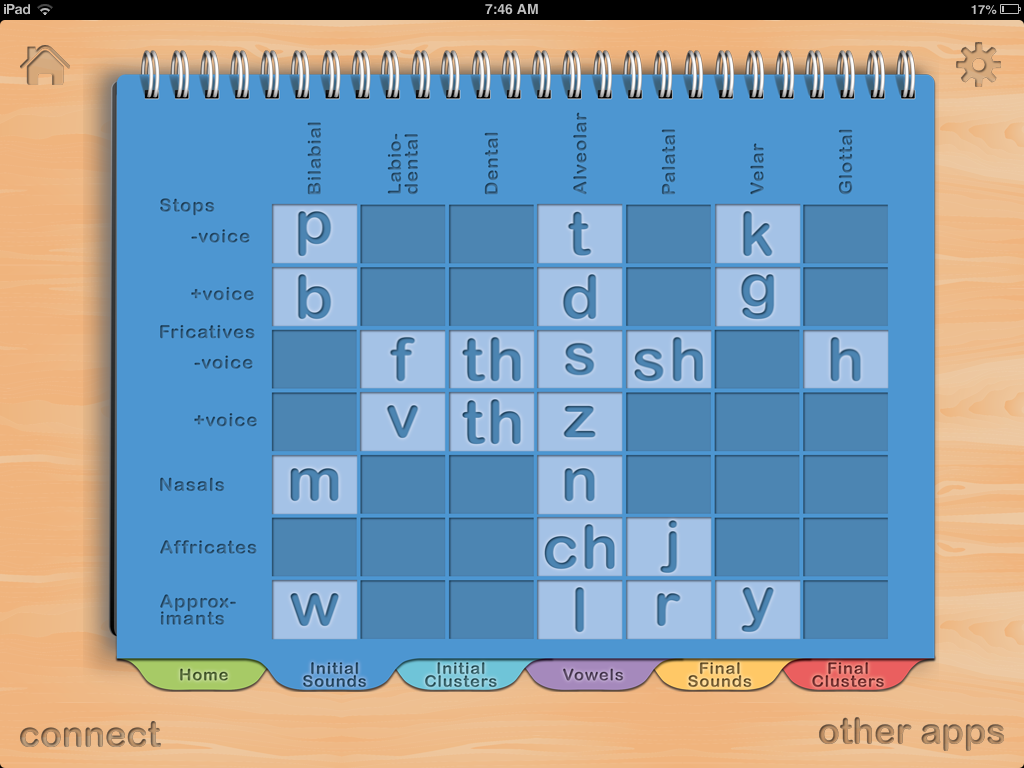
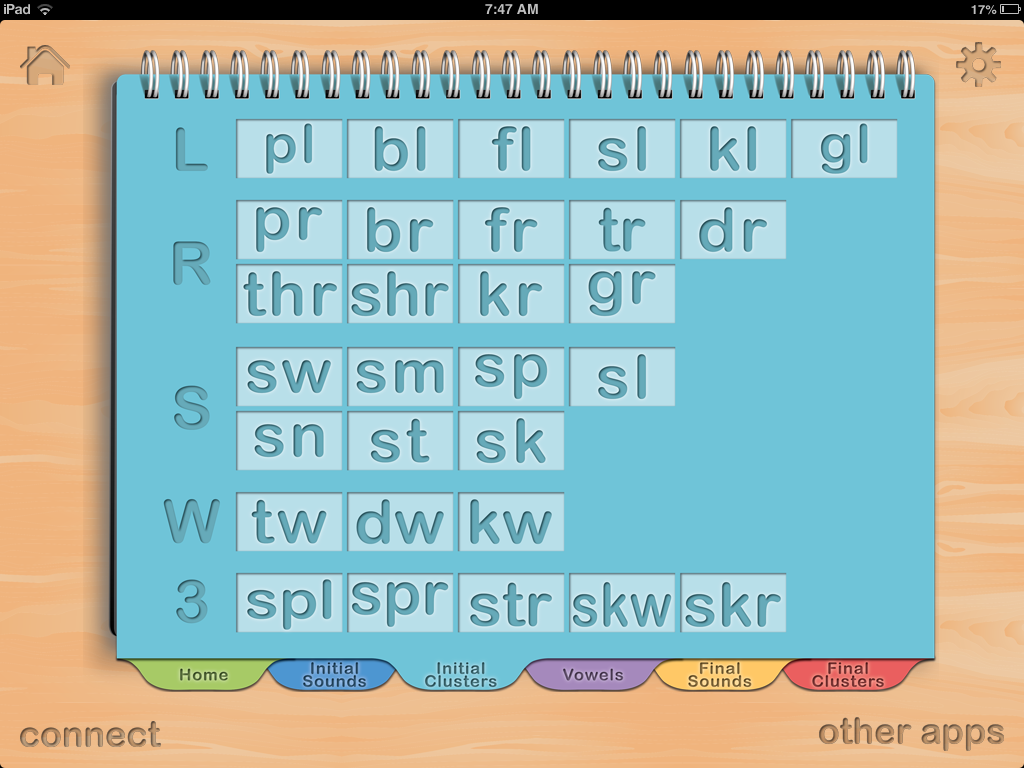
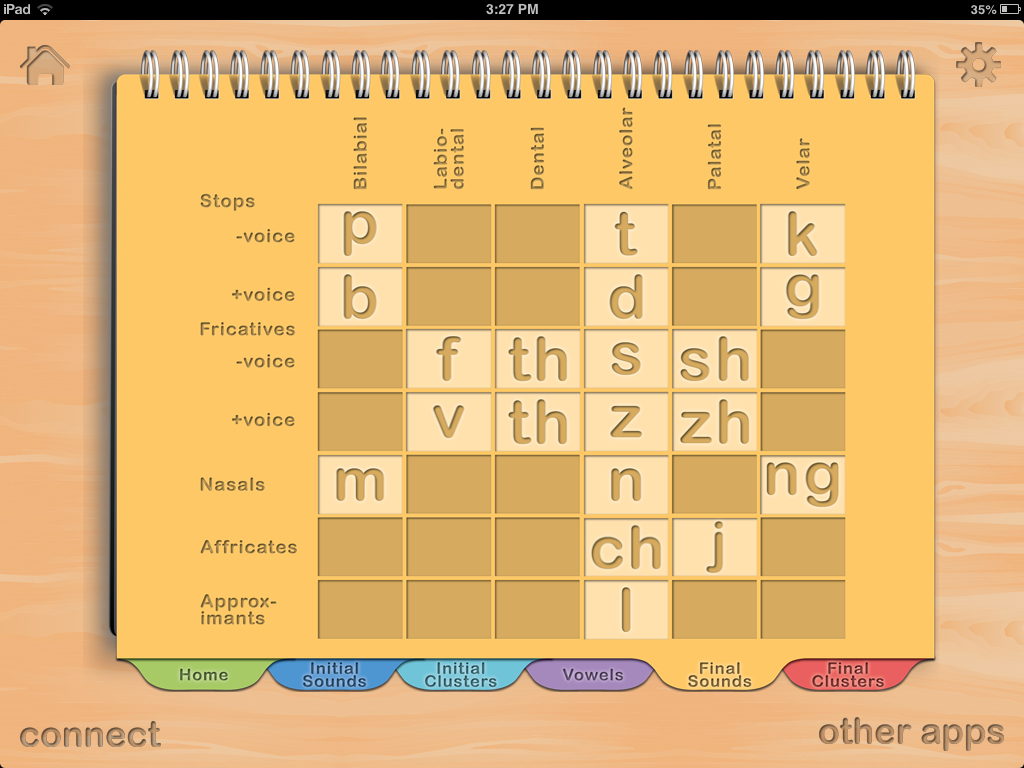
    The dark blue tab is the initial sounds you can choose from.  You can choose all of them as shown, or highlight the ones you do not want to use.  The light blue tab contains the list of available initial blends you can choose from.

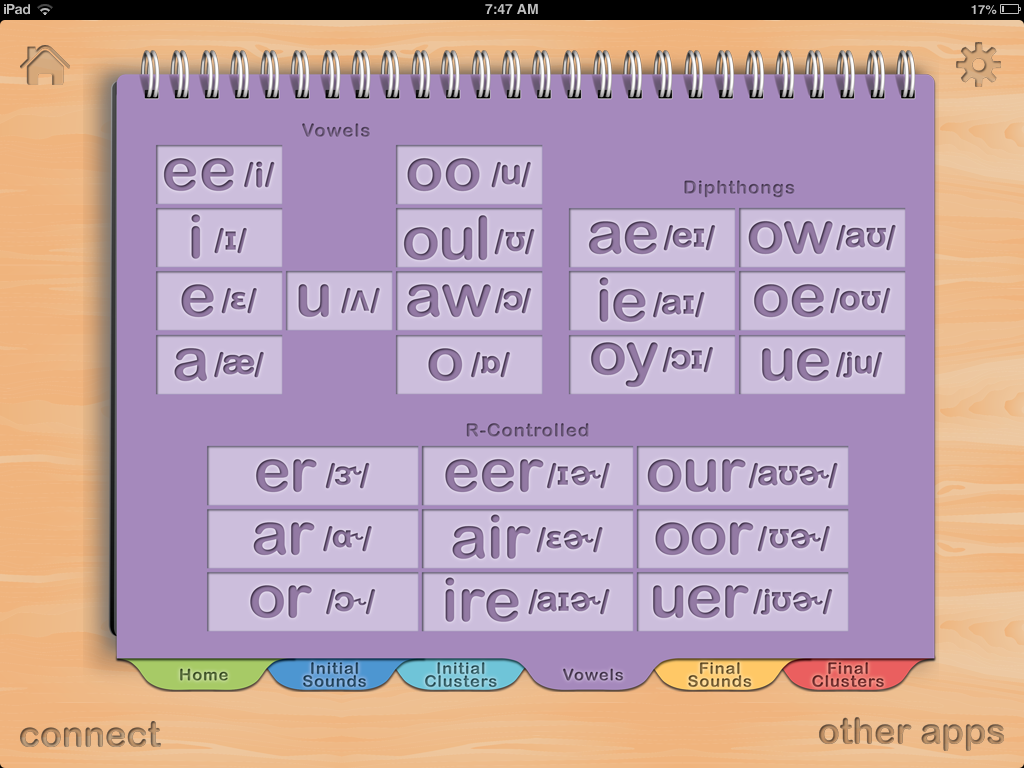
    The purple tab below shows the vowels.

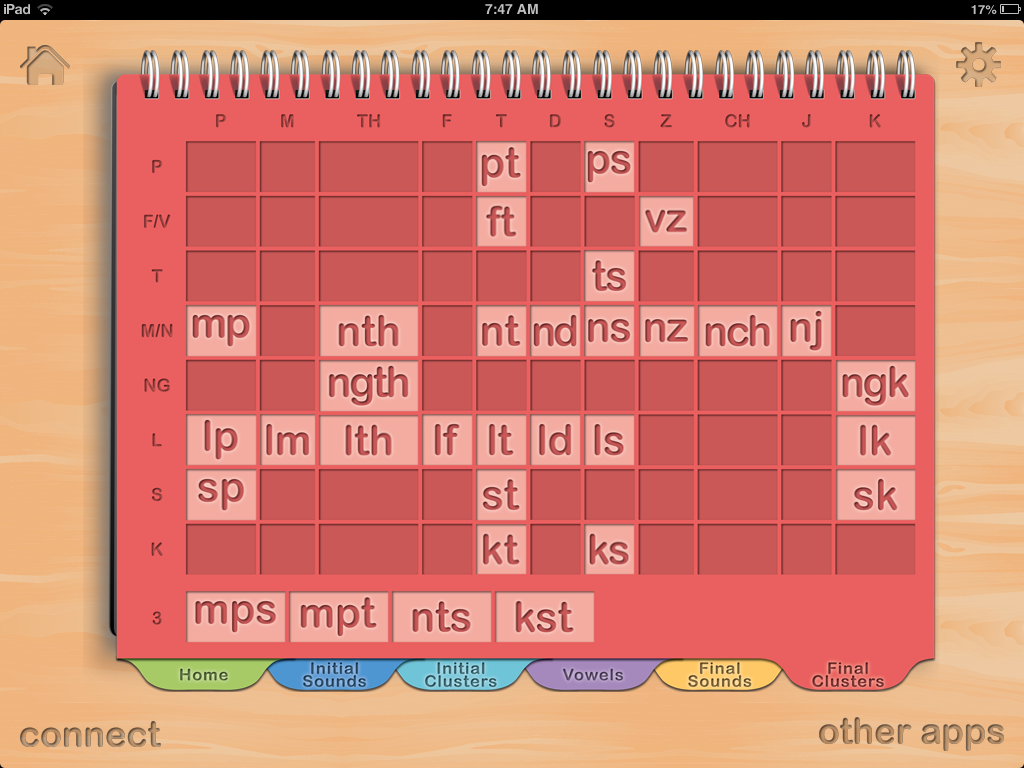
     The yellow tab contains your final consonant singleton choices, and finally the red tab contains your final consonant cluster choices.    As you can see, these tabs allow you to customize a seemingly endless word list that you can create specifically for the client’s needs.

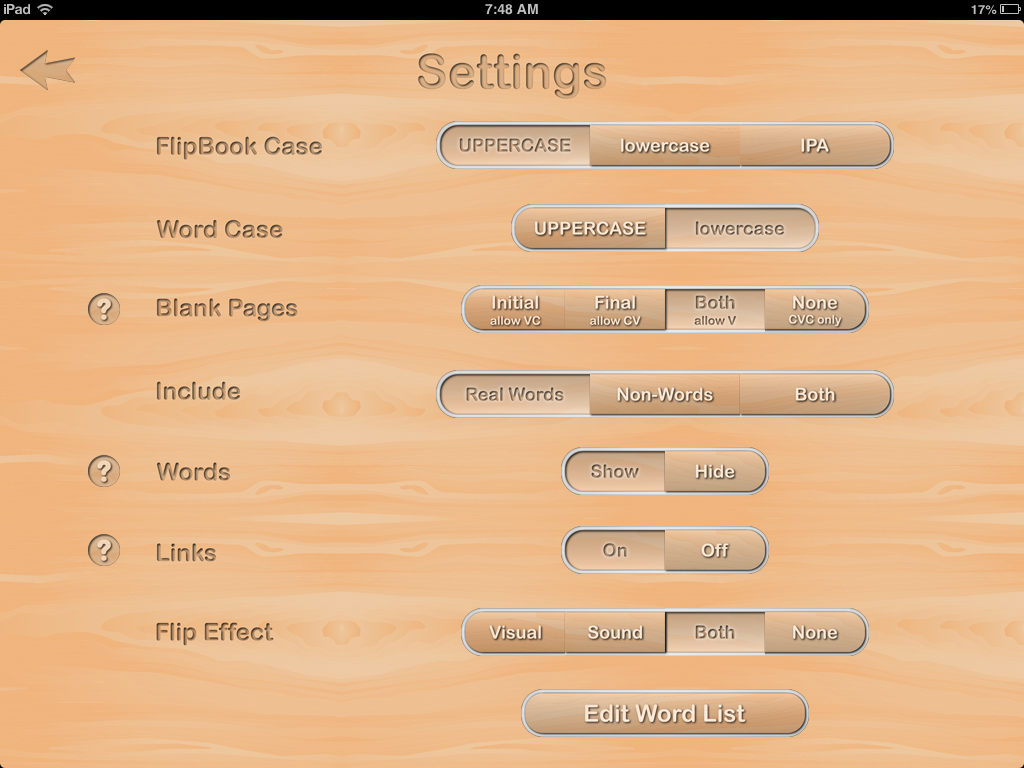
    The settings tab allows for additional options.  You can choose to have the letters shown in upper or lower case, you can put in a blank page if you choose not to use all three sections of the word and want to just work on CV words for example, and you can also choose to use real words, nonsense words, or both.  This is important in reading programs, because when  child can read nonsense words, they usually have the phonics skills they need to be good decoders.  If not, it helps them gain these phonics skills.  You can also edit the word list if you choose.

     For use with apraxia, it allows the client to practice sequencing sounds from the CV level (i.e bow), CVC level (shown left), all the way to complex syllable structures such as CCVCC (i.e switch).  In the options, you can choose any sounds in any position to keep or hide, and you can also choose to use only specific words.  This is a nice alternative for older clients including adults with apraxia, who may find most apraxia apps geared toward younger children.

    For use with reading, this app would be a good compliment to reading programs that use phonics principles such as Orton Gillingham approaches and the Wilson Reading Program.  Most SPED teachers have flash cards like this in which they switch out the sounds; however, kids love working on the iPad and I can see how they would like learning their digraphs or consonant clusters in this format.  I could also see this working well in a classroom in which each student has their own iPad, which is becoming more of a reality.
    In therapy the other day, I used it to work on phonemic awareness with an 8th grade student. I chose to flip by sound and kept the same nucleus and coda, and just had her flip the initial sound to get practice with rhyming.
    As an SLP, I could also use this app when working on accent reduction with adult clients.

    Other features include:
    Playback and record function
    Choice to show or not show the actual spelling of the word at the bottom

    What I Like
    This app has all the sound and sound combinations an SLP, parent, or teacher could need to work on any sounds in all positions of words.  There is also an IPA option (International Phonetic Alphabet), which is nice for those SLP’s working on accent reduction.  It is versatile in that it can be used by SLP’s, parents, and teachers.  It’s an affordable app that can compliment therapy and reading programs.
    What It’s Missing
    This app doesn’t have a lot of bells and whistles.  For those with older clients or students though, it may be just what you need so they don’t feel what they are working on is “too babyish.”  (For those in the special education field, we’ve all heard this at one point or another).
    There isn’t a data collection feature, or ability to store and save different user data.

    Overall this app delivers what is says, which is an affordable tool to compliment therapy and reading intervention for older children and adults.

  • Speech Stickers App for Apraxia Review

    Speech Stickers App for Apraxia Review

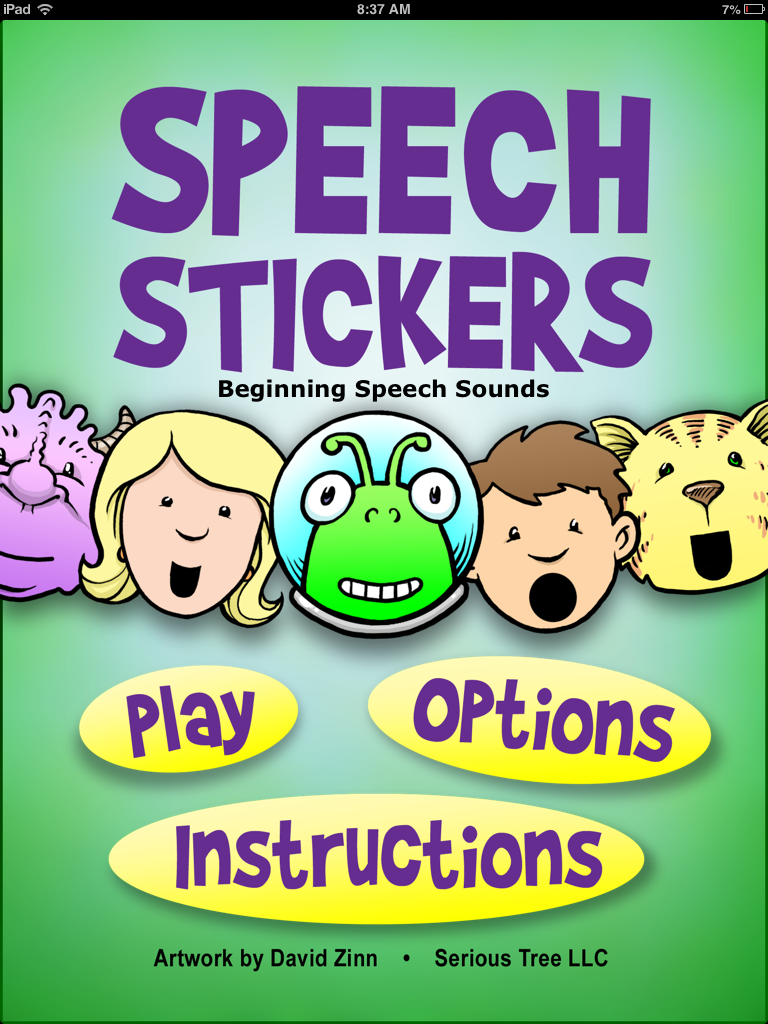
    Speech Stickers is the first app that I downloaded for Ashlynn (my daughter with apraxia) when she had first turned three.  I chose it because it was cheap, and said it was developed for children with apraxia.  The app is simple in design with not a lot of bells and whistles; however, my daughter loved practicing her speech with this app.

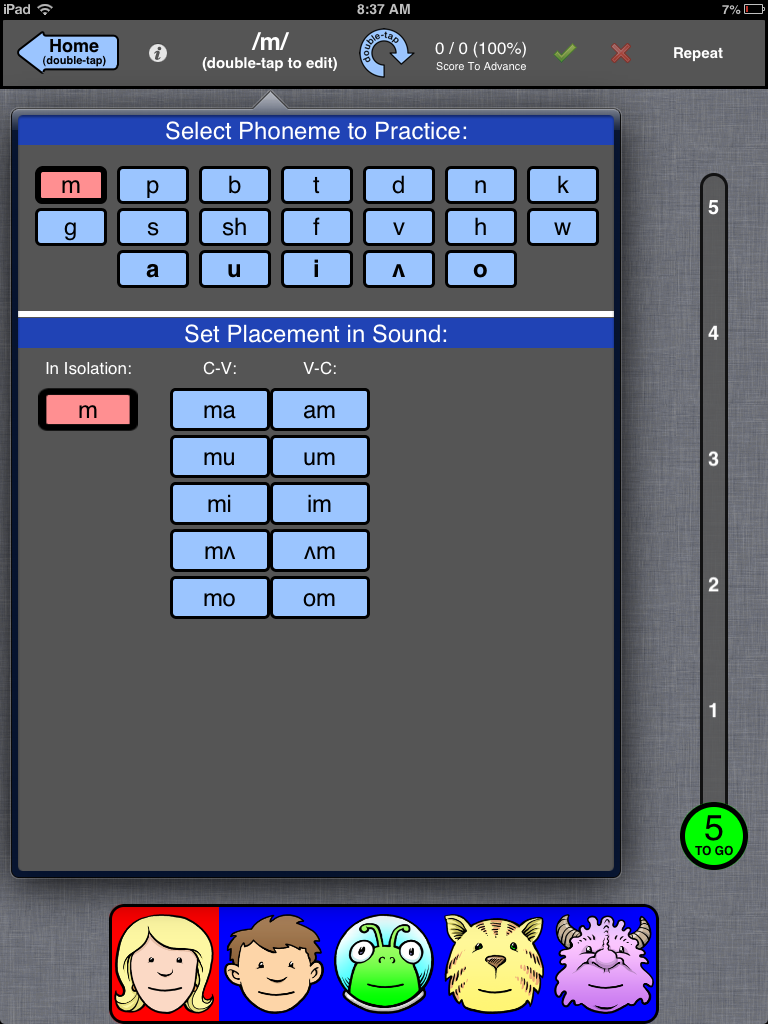
    The app is set up for kids in the very early stage of apraxia therapy.  The child can practice sounds in isolation and in CV(consonant-vowel) and VC(vowel-consonant) combos. The app is based around blocked practice with a lot of repetition that is necessary for apraxia therapy.

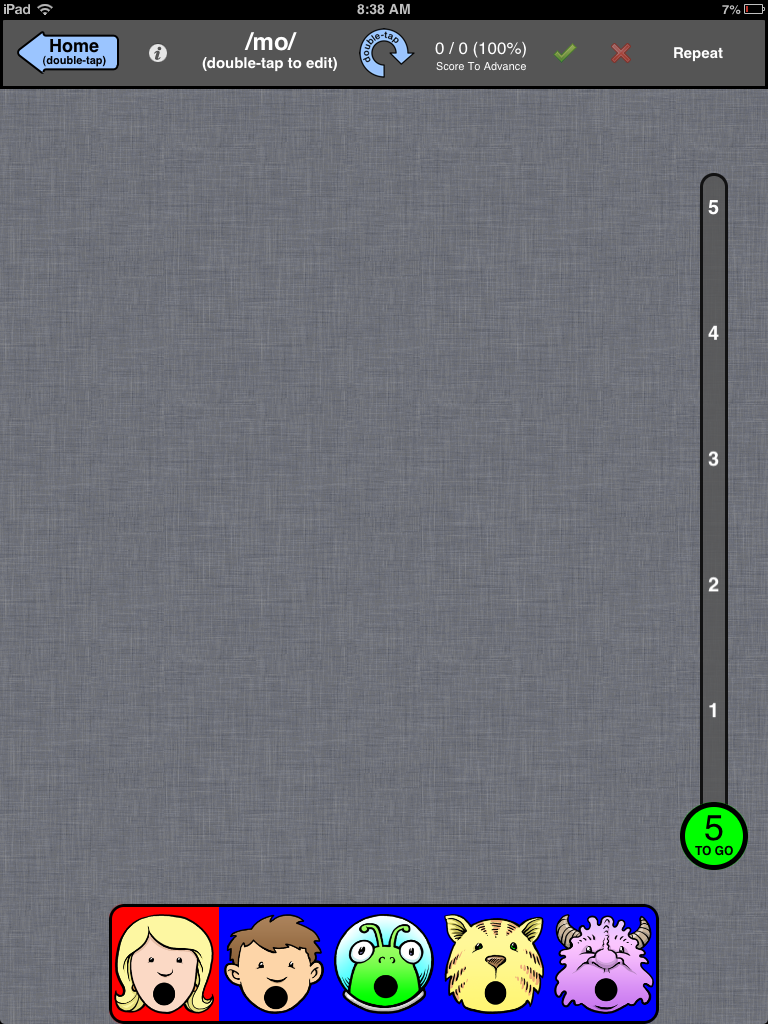
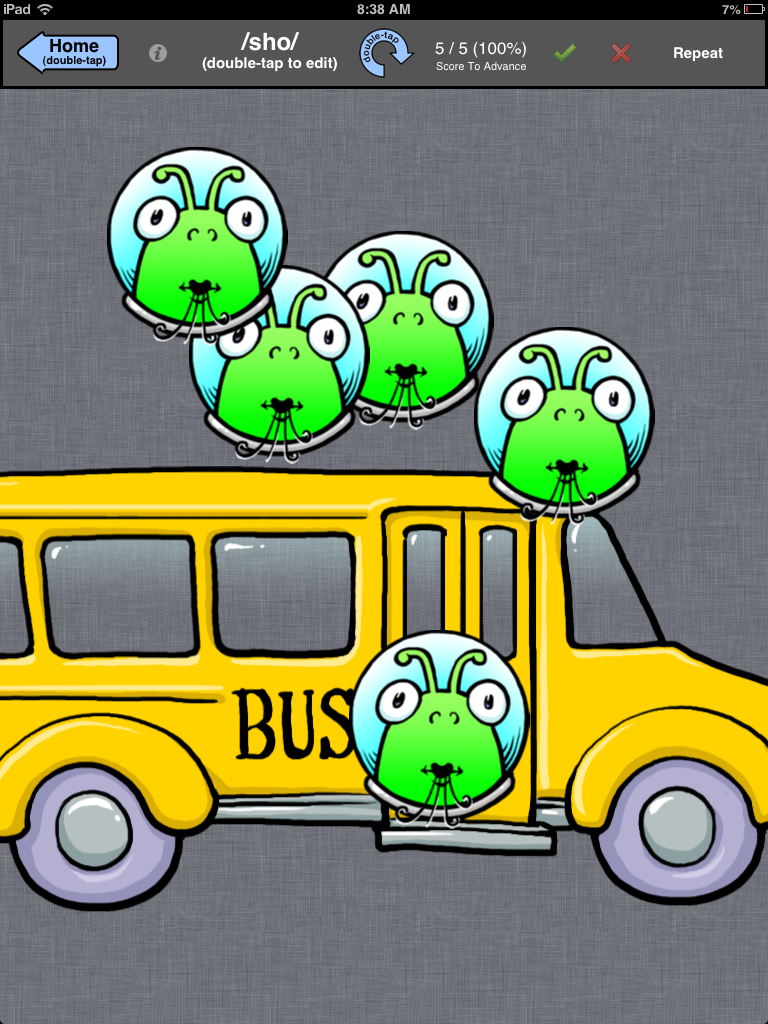
    After you pick your sound or sound combo, you can then decide how many times times the child has to say it before they get a “sticker” or a little animation as a reward.  Then, the child chooses between five characters on the bottom, all of which have a different pitch to their voice.  This is a bonus too, because children with apraxia have difficulty with “prosody” or the melody of speech.  The characters’ mouths model the correct placement.  The above picture is showing ‘m.’  Below the characters are modeling ‘mo.’ This is also great because it gives the kids a visual cue for the correct mouth posture.

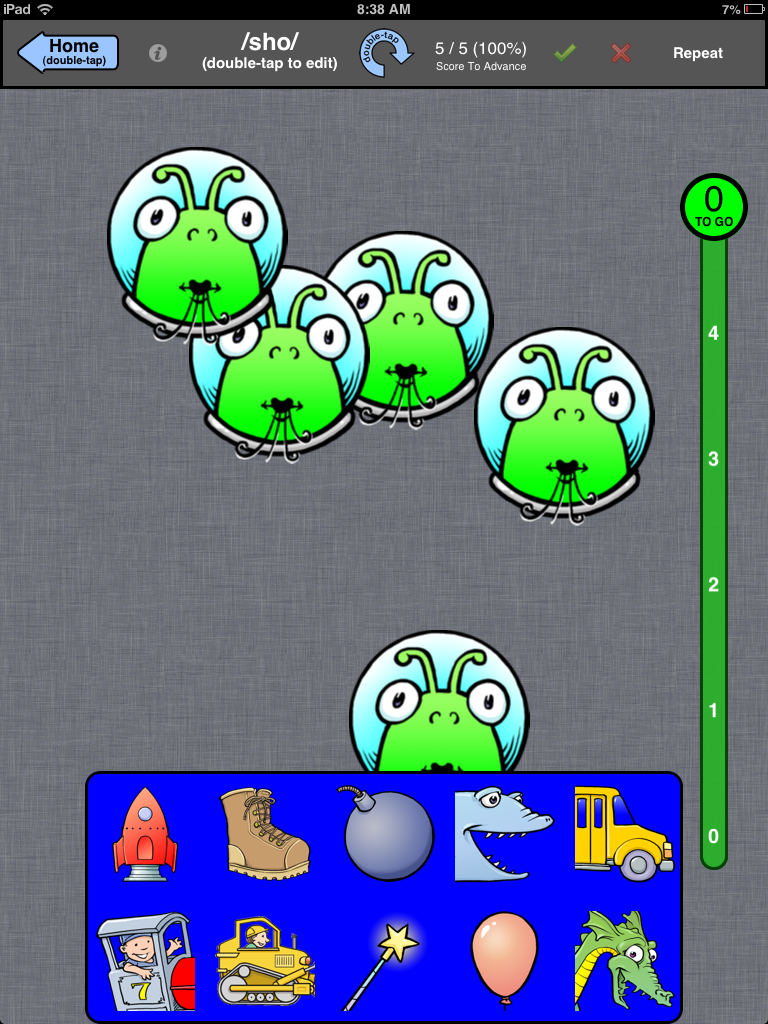
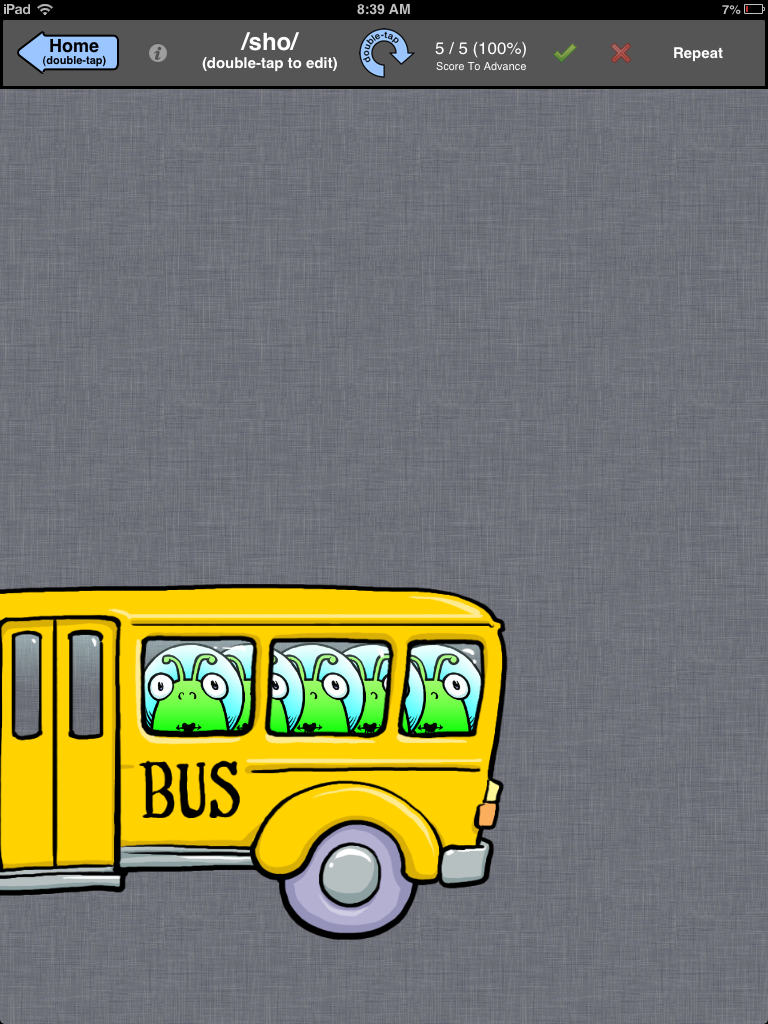
    A scoring bar at the top help score and keep track of data. You must press the green check or the red x to move onto the next practice sound.  The app is designed so that the bar can also turn upside down so that the therapist can discreetly score; however, my daughter picked up on this in a heartbeat and would push the buttons haphazardly just so she could move on!    Once you reach the set number you earn a “sticker” or reward.  You can choose from eight stickers seen below:

    They are so simple, but my daughter loved them.  I chose the bus just so you can get an idea of the animation.

    It has been almost three years since I have used this app for Ashlynn, but the app lives on with all of my clients!  Kids of all ages and disabilities LOVE this app.

    I have a 5th grade boy with Down Syndrome who laughs every time he earns a sticker and watches the animation.

    I have a 3 year old who loves picking the alien because it reminds him of a popular TV show right now “The Octonauts!”

    I could go on!  Really, I can’t say enough about this app, and when I reached out to the creator Carol Fast MSPA, CCC-SLP I realized why this app is soo good.  Here are some comments from her:

    “It’s truly been a labor of love for me and I’m always gratified to find that other SLPs appreciate what we do. I’m glad that you found Speech Stickers to be helpful for your daughter and other students.  I work mostly with preschoolers and have found a special interest and passion in my little nonverbal CAS kids. I really love helping find their true voice. This is probably the most rewarding work I’ve done in over 30 years as an SLP.”

    Thank you Carol!  Thank you for your passion for working with kids who have CAS and for a great app that allows us to get a lot of repetitions of targeted syllable shapes in a fun and engaging way for the kids.

    What I Love: 
    – Works on early developing syllable structures
    – It really helped us work on final consonants when my daughter wasn’t adding them.  Helped us get the final ‘n’ and final ‘t’
    – Gives a reward in the form of a short animation that is interesting to kids
    – Models different pitches and inflections, which is difficult for kids with apraxia

    What it’s Missing
    I would like the option for the child to record their voice
    – As an SLP, I would appreciate the option to email the data
    – It doesn’t include more complex syllable structures such as CVC and CVCV, so it’s only applicable for the early stages of therapy

    Impressions:
    This app was helpful during the early stages of therapy, when Ashlynn was struggling to sequence basic syllable structures.  She had just turned three, and was motivated to practice speech.  In addition, she loved the sticker rewards.  It did help us get those final consonants that she was struggling with too.
    As an SLP, I have also used this app with a five year old, and he enjoyed it too.  For the price, I would recommend this app if you have a kiddo in the early stages of therapy.

  • ApraxiaVille app review

    ApraxiaVille app review


    ApraxiaVille is an app from Smarty Ears, and is the newest speech app that I have downloaded to use at work and with Ashlynn my daughter with CAS.
    To get started, you create your players.  You can make an avatar, or import your own picture.  The application allows up to four players, which is nice from an SLP perspective, since you can use it during group therapy.
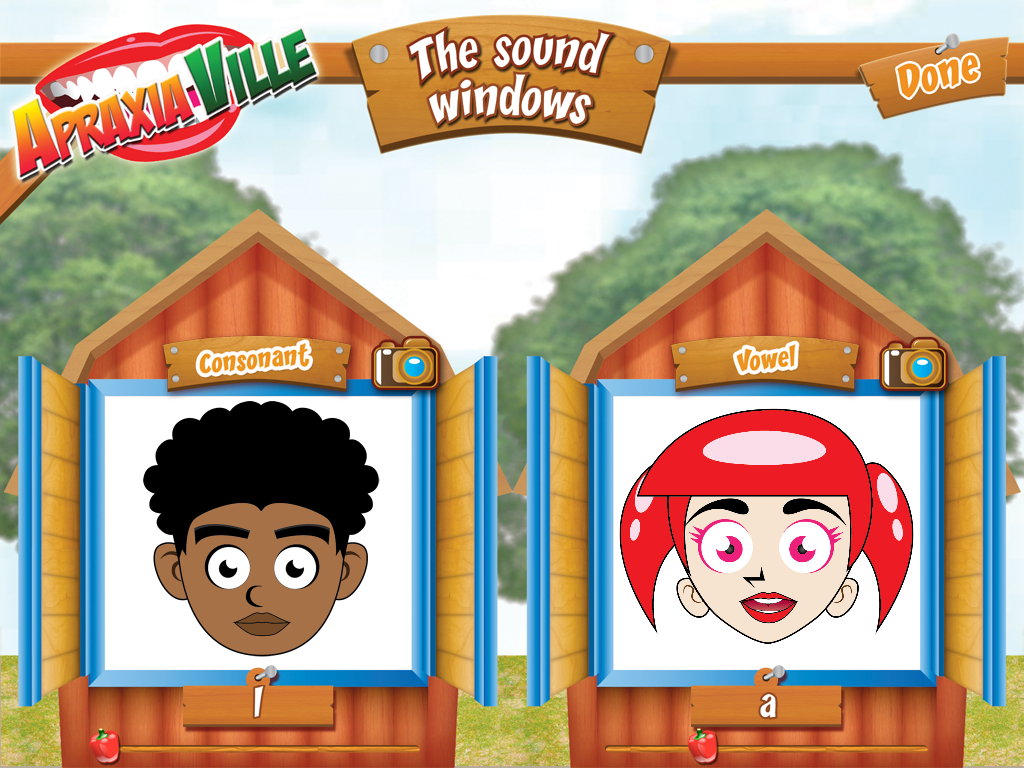
    Next, you choose your activity from a list of three.  The first activity is the sound windows, which allows the child to practice a sound.

    The avatar gives the child a visual and audio cue on how to say the sound.  In the upper right corner is a camera, and if you press it, the child can see themselves in the window as they try to mimic how to say the sound.  I was a little skeptical about this, but I tried it with Ashlynn (my daughter who is 3 and 1/2) on a sound she hasn’t been able to say.  /f/  I have cued her and showed her the current production many times, but she loved seeing it on the avatar and then looking at herself in the camera.  Guess what?  We have /f/ in isolation!  Wahoo!

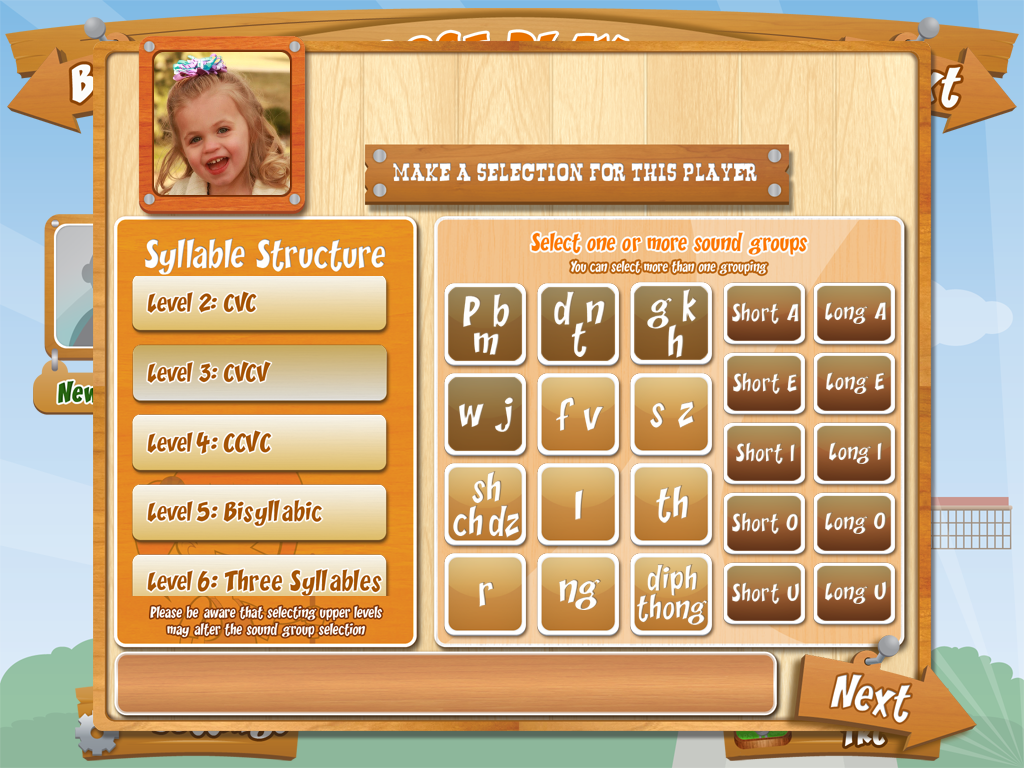
    The next activity is the Farm house.  In this activity, you can choose from a variety of syllable structures and sound groups.  This is exactly how apraxia therapy is usually structured, from easier consonant vowel combinations all the way to four syllable words.

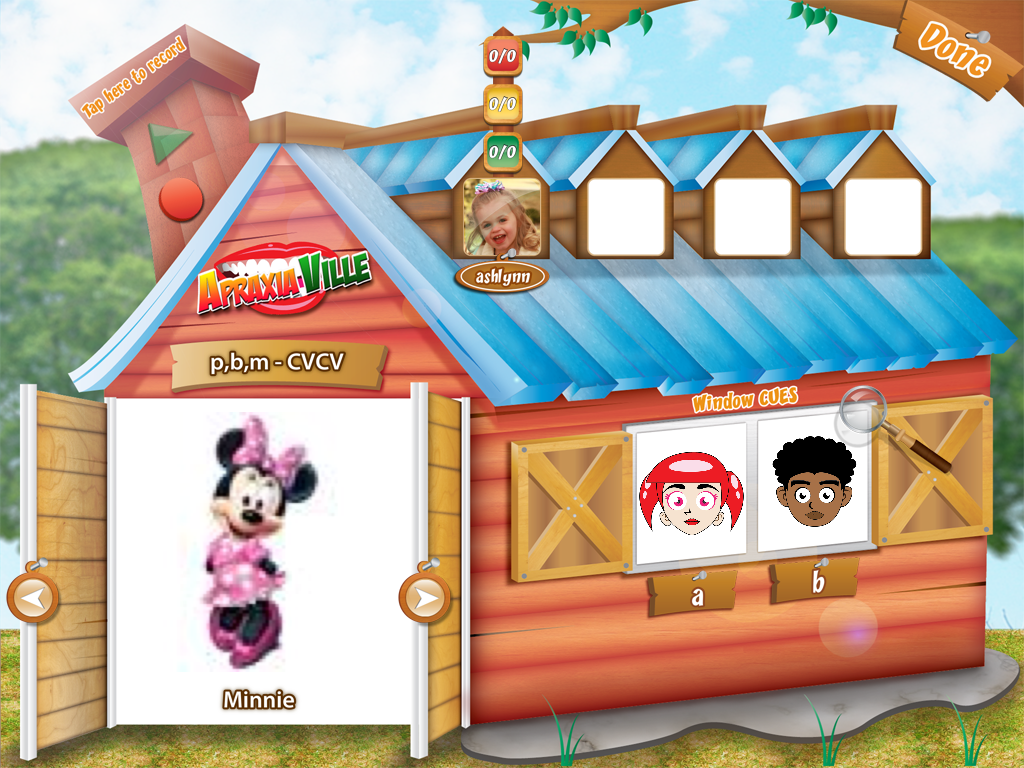
    What I really like, is that you can customize it for the child.  For example, they have consonant groups, but if your child can’t produce one of them, you can go to settings and just choose the words you want your child to work on.  You can also add your own words and pictures to the rotation, which is also awesome.  My daughter has a tendency to drop medial ‘n’ and ‘d.’  She really likes Mickey Mouse Clubhouse, so I added pictures of Minnie and Toodles. Then you can record the name to correspond with the picture.  I also think this would be great if you wanted your child to practice family member names, pet names, etc.

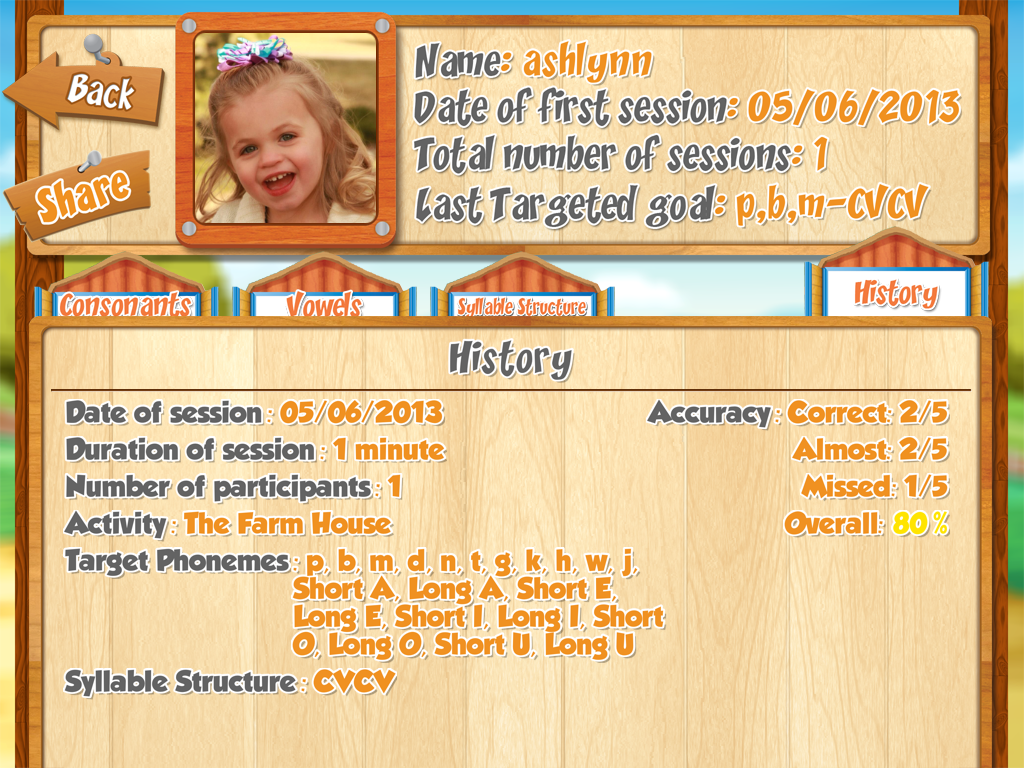
    Once in the farm house, you can practice the words.  A scoring system is set up above each child’s picture to record data.  There is a record feature in the chimney to record and playback the child’s production, and there are the avatars on the body of the barn to model appropriate production for a sound if needed.  After the activity, you can obtain a spreadsheet that collects the data with the option to email it.  I love this option as an SLP.

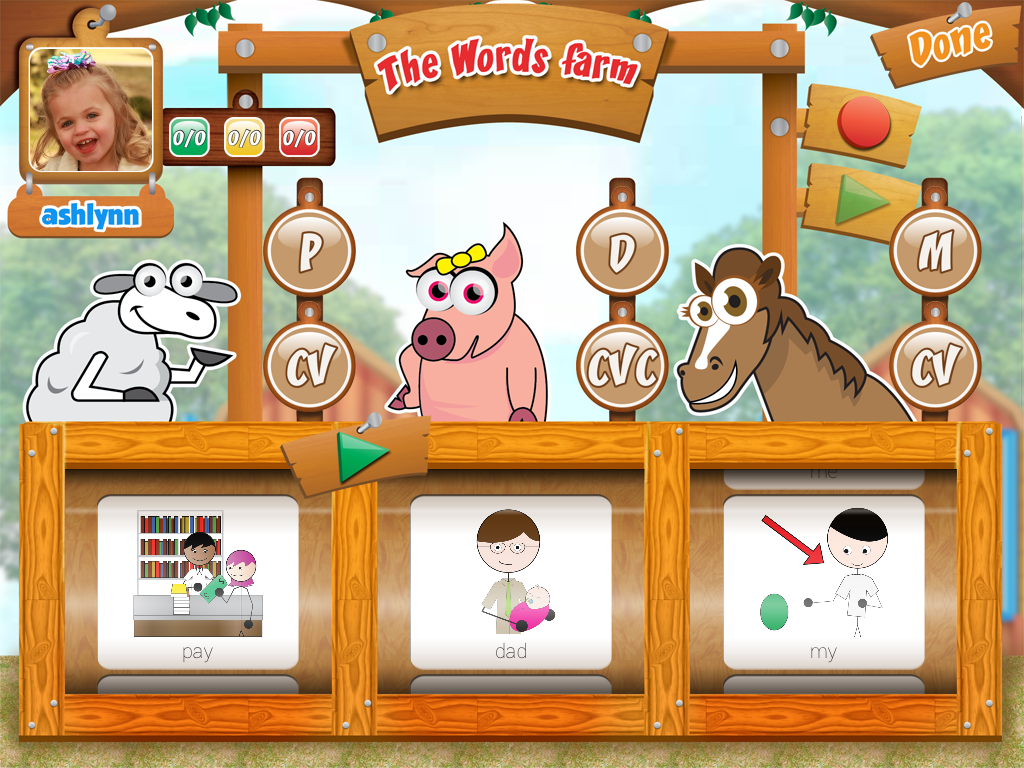
    Finally, the last activity is the Words Farm, where you can choose 2-3 words to practice.  This is great for doing targeted blocked and/or randomized practice necessary when using a motor based approach to therapy.  This activity only allows one child, but again there is a record/play function, and you can take data that will be generated into a spreadsheet at the end of the activity.

    What I Love:
    – Has practice items on a syllable structure hierarchy used with apraxia therapy
    – Can customize sound and syllable combinations to only include those in the child’s repertoire
    – Allows for adding your own additional pictures from your child’s own life with ability to record
    – Avatar’s give visual and auditory cues with a camera feature so the child can immediately practice
    – The second activity allows up to four players, which is helpful in group therapy
    – Data collection feature that is automatically generated into a spreadsheet and can be emailed and/or shared electronically

    What it’s Missing
    Though the app is colorful and visually appealing to kids, there really isn’t any game or reward to it.  It would be nice to have some fun reinforcement for practicing the words.

    Overall impressions
    Overall, I think this is a great app for young kids with Childhood Apraxia of Speech.  I would recommend this application to parents and SLP’s.