Tag: App review

  • Outloud Timer app Review and giveaway

    Outloud Timer app Review and giveaway

    Timers can be a useful way to manage behavior, promote task completion, or as a way to motivate the child.  Digital clocks and timers are great and convenient, but they aren’t teaching kids an understanding of the passage of time, and are more abstract.

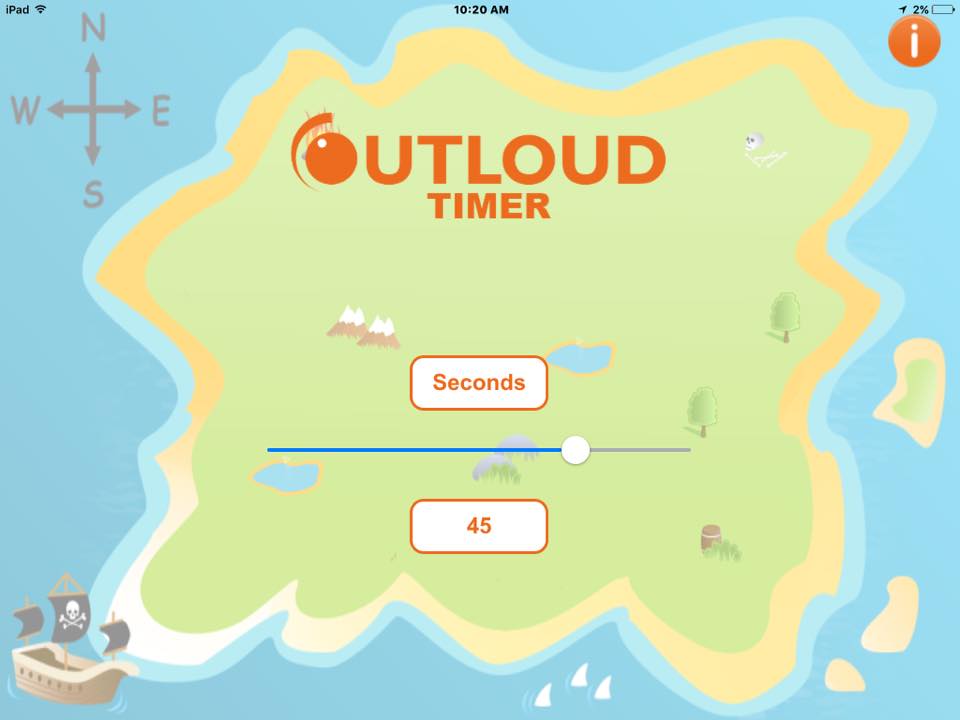
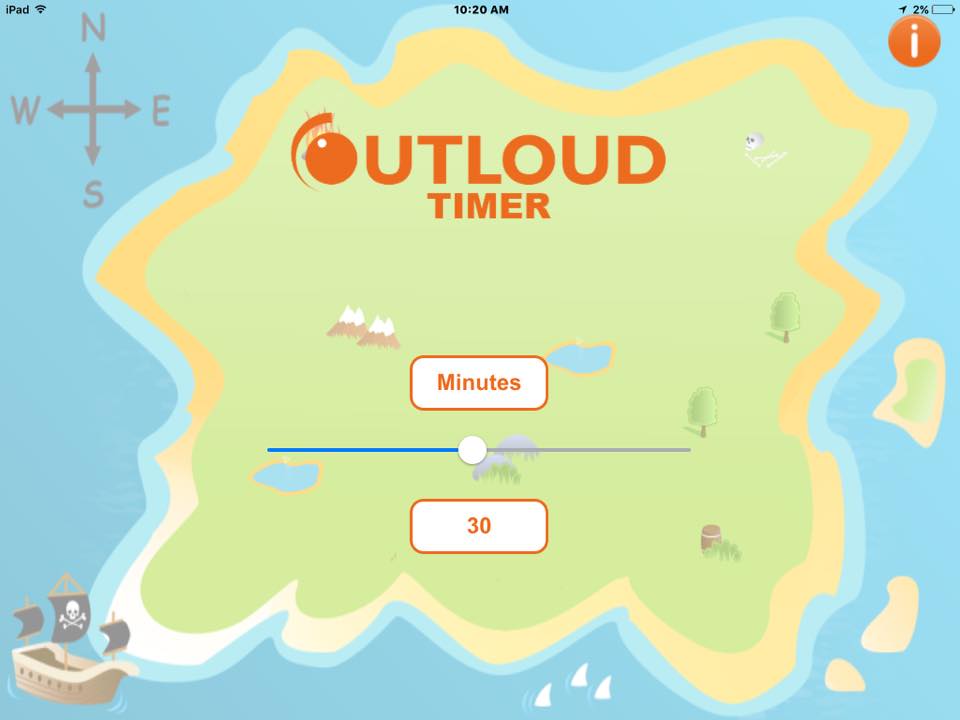
    Outloud Timer is different.  You have the option to set the timer to either seconds or minutes and then set the time.

    timer-1 timer-2
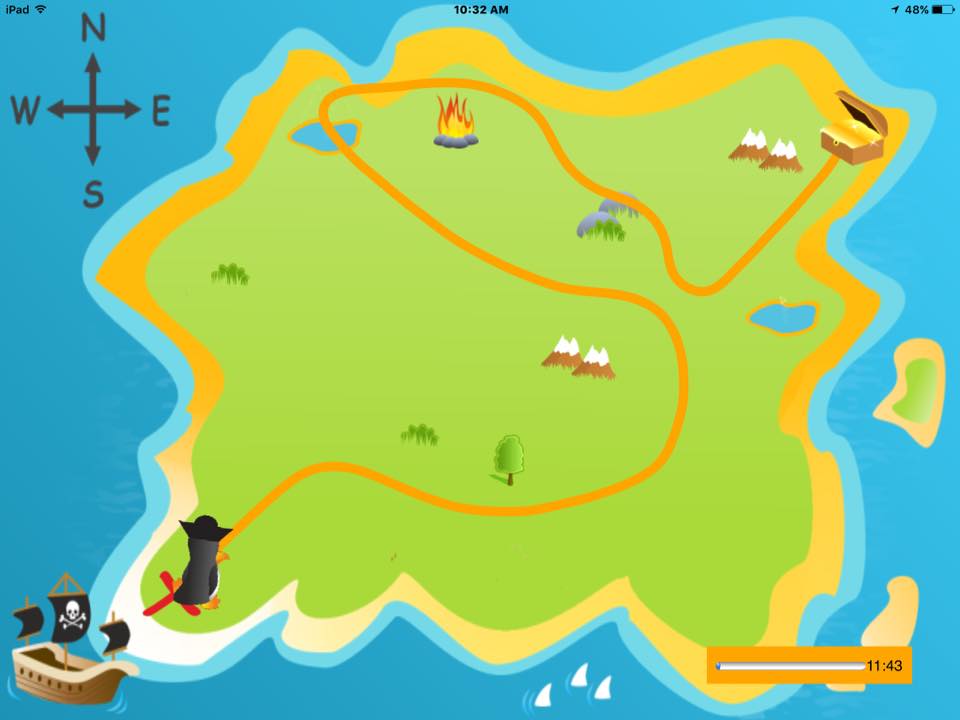
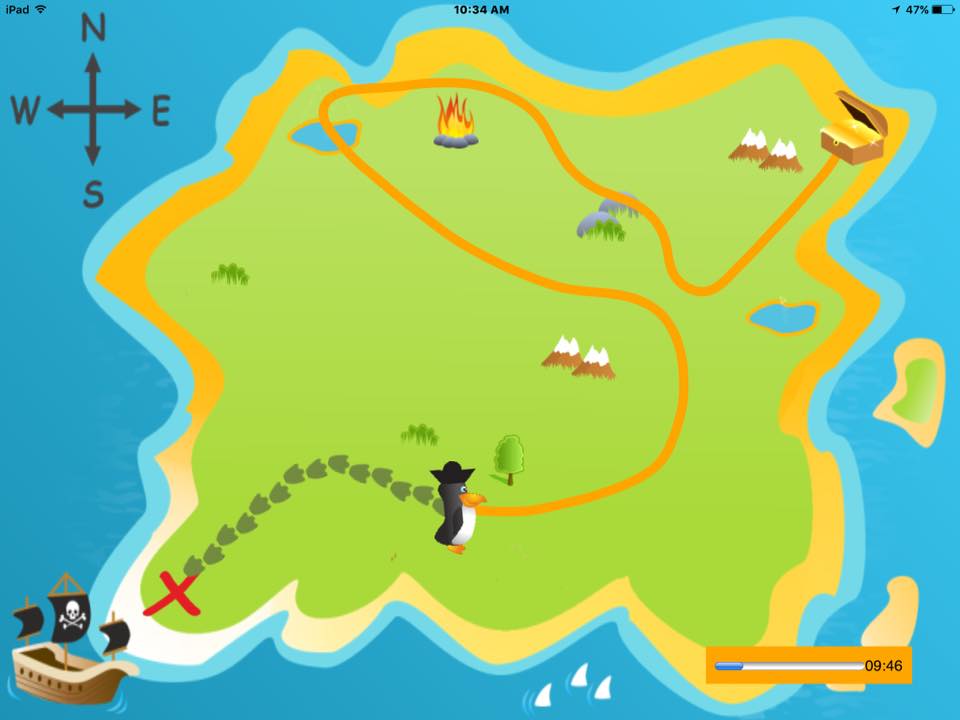
    timer-4timer-3A penguin appears and the child can draw a path to the treasure chest.  The penguin waddles its way to the treasure box AND a digital countdown is also provided in a small box in the lower right corner.  Once the penguin reaches the end, the treasure box opens with music and money sounds, and coins are displayed animatedly across the screen.

    As a bonus, I’m also able to touch on some receptive language concepts while they draw the path, working on concepts like: around, next to, left, right, bottom, top, side corner etc.  Some kids with a receptive language processing disorder have difficulty with these concepts, so this can be a nice easy way to sneak in some practice just by setting a timer.

    In a surprise twist, one client I have actually thinks of this app as the reward!  He was too distracted by using the app as a timer, but he LOVED drawing the path and watching the penguin complete it.  Either way, it’s a win win.

    Also, it’s available on both the iPhone and the iPad making it really convenient.

    You can head to iTunes to download the app here where it’s only 99 cents!  Or, enter to win a copy in my giveaway.  Enter below

    a Rafflecopter giveaway


    I was provided a copy of this app for free to complete this app review.  I was not offered any other royalties and all opinions are my own. ~ Laura

  • nacd apraxia app review

    nacd apraxia app review

    This was one of the first speech apps for apraxia that I bought.  It was enticing because it was a good price and the description looked much like a digital version of the Word FLIPS book I was using in therapy.

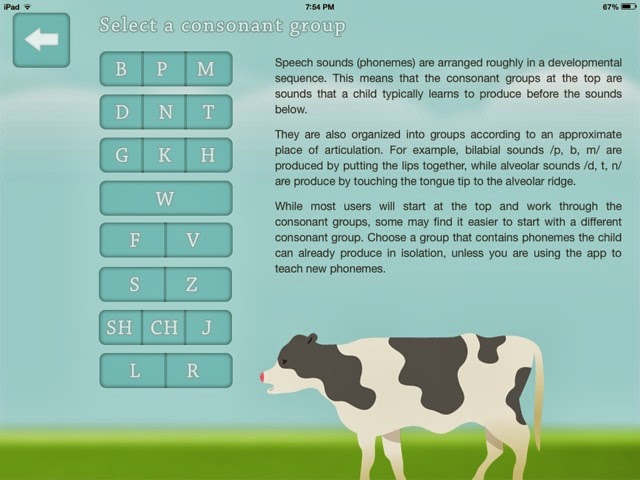
    It starts with a screen that allows you to pick a CV consonant/vowel group, seen below.

    For the purposes of this review, I chose the top group BPM.
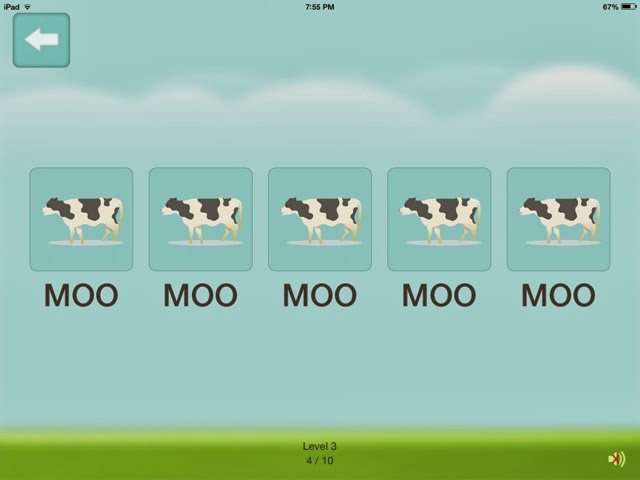
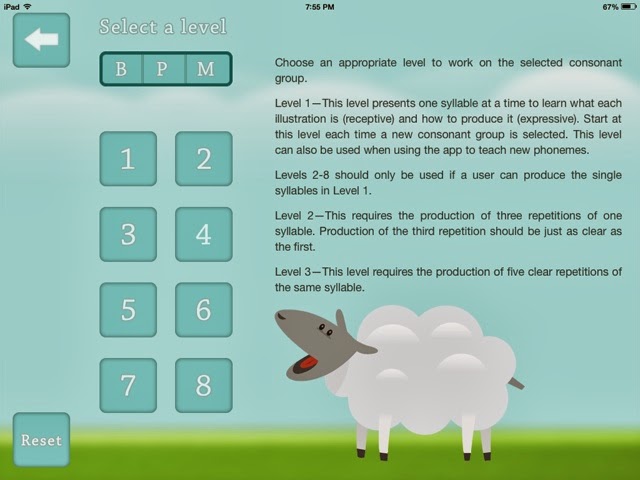
     You then have your choice of levels.  Level 1 is really just to learn the pictures, so each picture is presented one time.  In Level 2, there are three required productions of the same word.  By Level 3 (see above), there are five pictures of the same word. 
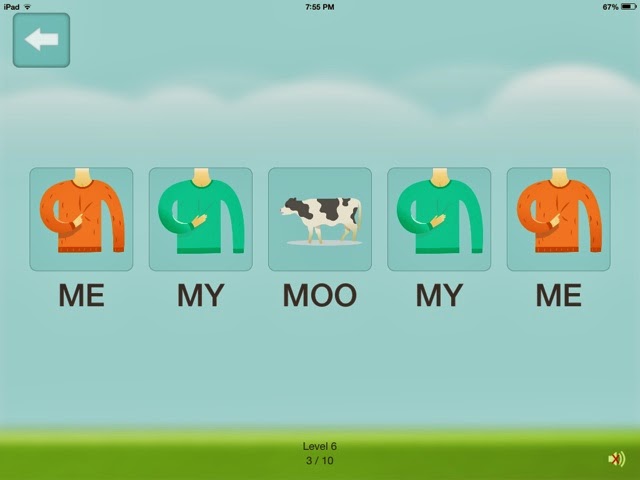
    By the time the you choose Level 8, the pictures change to have three different pictures depicting different words in alternating fashion.  (see below). 

    You can choose to have the sound on, in which a verbal model is presented when you touch the picture; or you can mute the sound so a verbal model is not given when you press the button.
    There is a also a “tracking” feature to tally correct/incorrect productions for data collecting purposes.
    What I love
    This app is great because of it’s simplicity.  It’s more fun for kids to practice these skills on the iPad then it is to use the flip book.  They are just more motivated by digital versions of everything these days!  Also, therapy for Childhood Apraxia of Speech requires A LOT of practice and repetition, and this app lends itself to multiple chances for repetitions in either blocked or randomized fashion (elements essential when treating motor based speech disorders).  
    In addition, most of the kids I treat with apraxia like it.  You can get a quick “warmup” in using this app while getting a lot of repetition right off the bat.

    What it’s missing
    I would probably use this app more, or longer during therapy sessions if it had some sort of reward or fun reinforcement.  However, since I only use it as a supplement to therapy, it’s still a nice app to have. Also, just recently my daughter was confusing her t/k and d/g, so I went back to this app and we practiced using these pictures alternating between the two sound patterns.
    The other thing that is missing is a voice record option.
    Overall impressions:
    I love this app for it’s simplicity, price, and ability to get A LOT of practice in a short amount of time.  Most of the kids I treat with apraxia, and my own daughter with apraxia, have used this app successfully and enjoy tapping, repeating, and swiping the iPad.    I would highly recommend this app to parents and SLP’s as a supplement to therapy for Childhood Apraxia of Speech.

  • Speech FlipBook App Review

    Speech FlipBook App Review

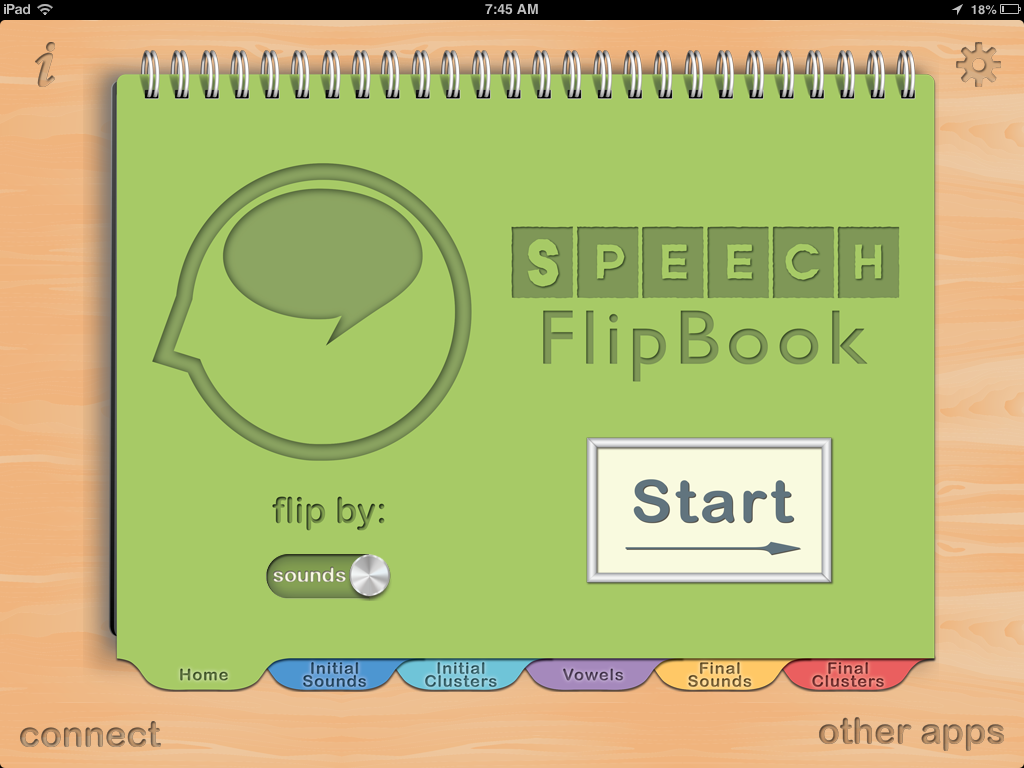
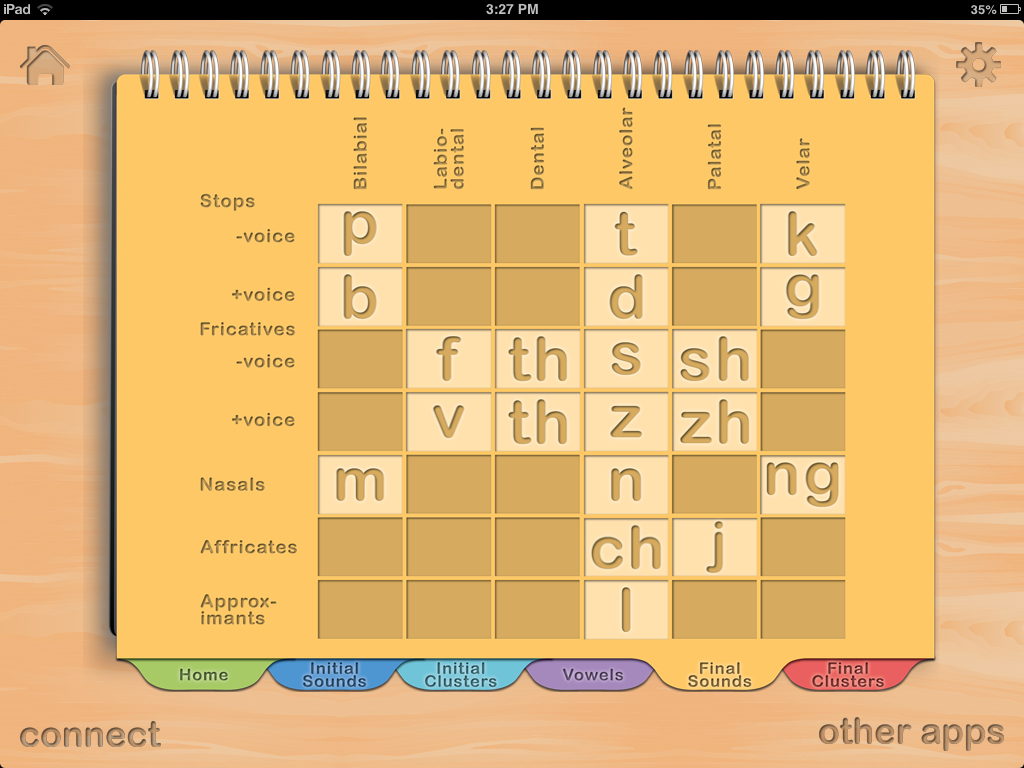
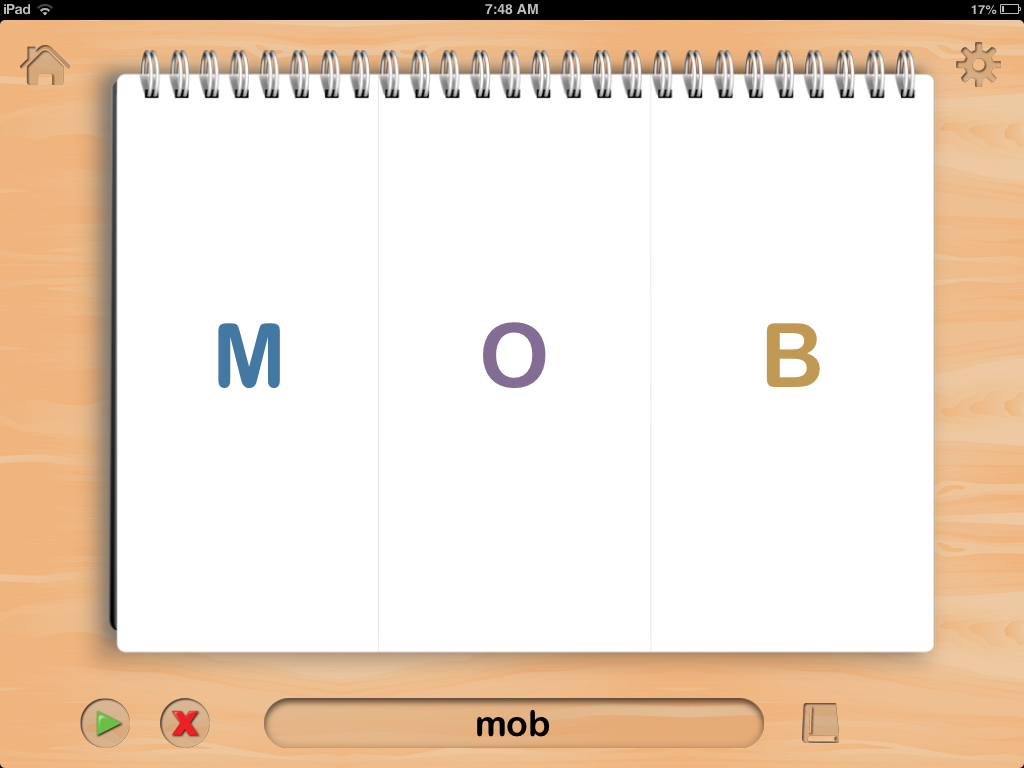
    Speech FlipBook by TACTUS Therapy is a versatile app more suited for use with older children or adults.  It is in a flip book format seen below. It has the option to flip each section of the word (onset, nucleus, and coda), or to flip the entire word.
    It contains literally every sound and consonant cluster found in words, allowing practice at the single syllable level.  It is completely customizable, allowing you to choose any consonant, vowel, or consonant cluster combination you want in any position of  the word.

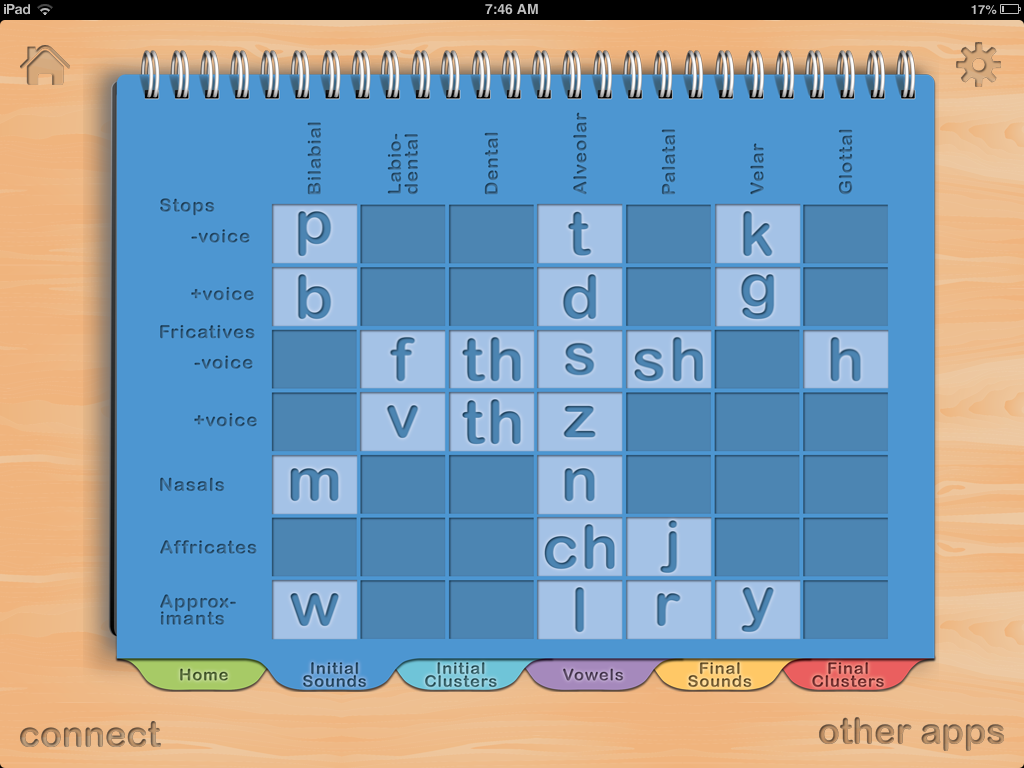
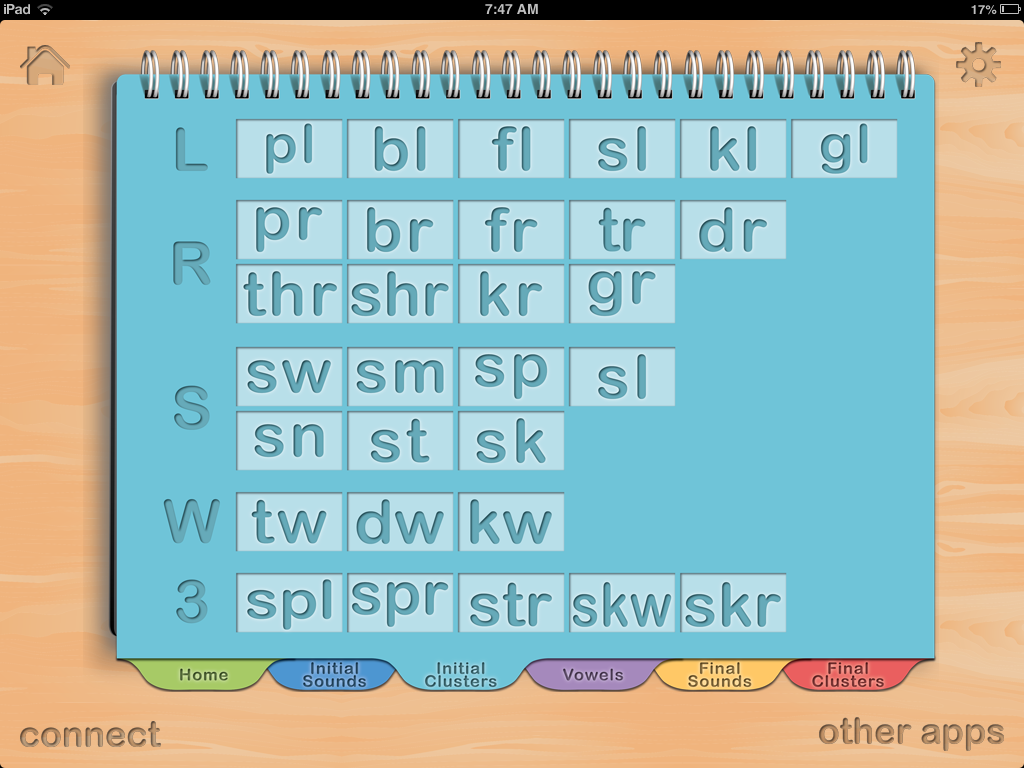
    The dark blue tab is the initial sounds you can choose from.  You can choose all of them as shown, or highlight the ones you do not want to use.  The light blue tab contains the list of available initial blends you can choose from.

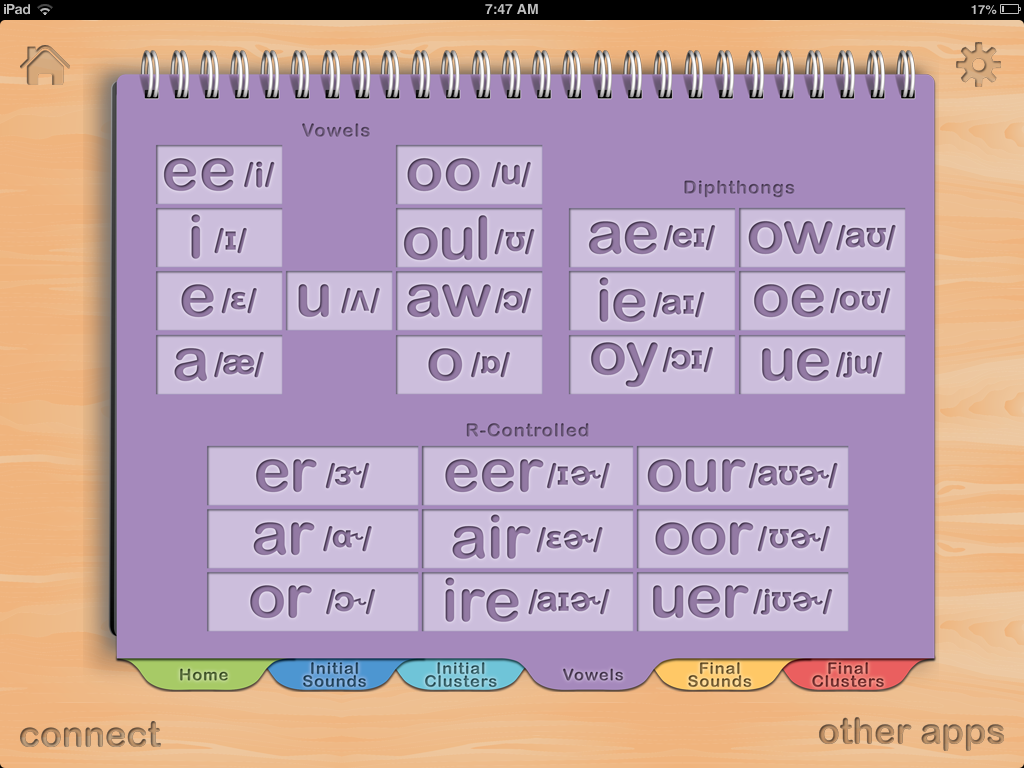
    The purple tab below shows the vowels.

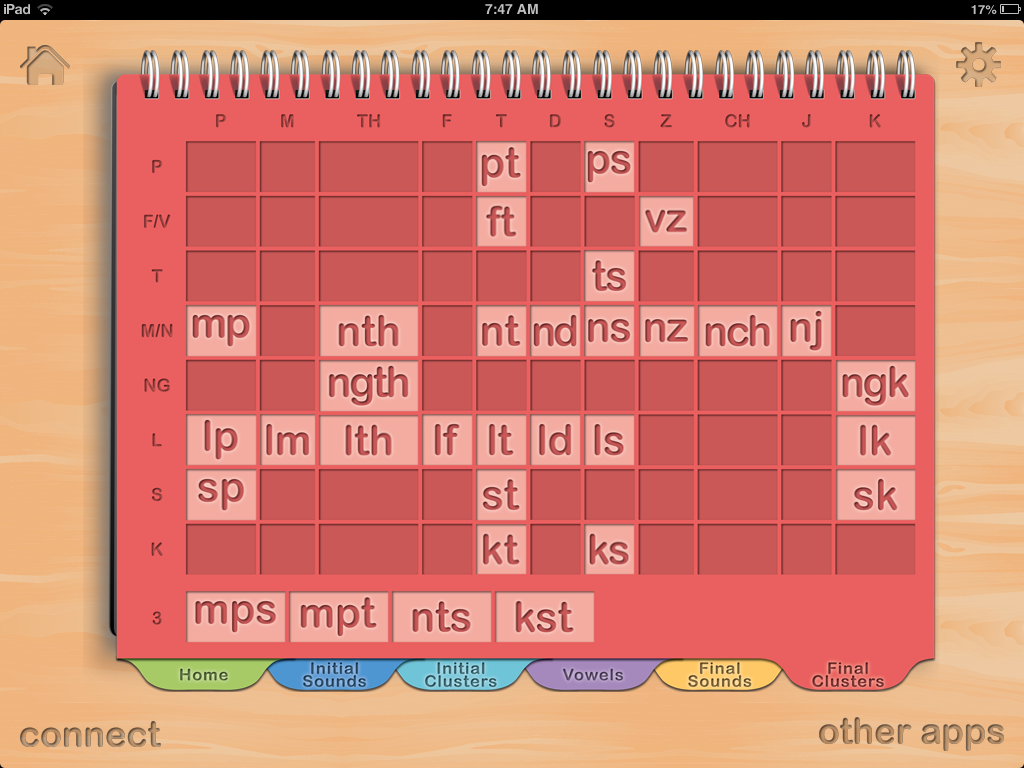
     The yellow tab contains your final consonant singleton choices, and finally the red tab contains your final consonant cluster choices.    As you can see, these tabs allow you to customize a seemingly endless word list that you can create specifically for the client’s needs.

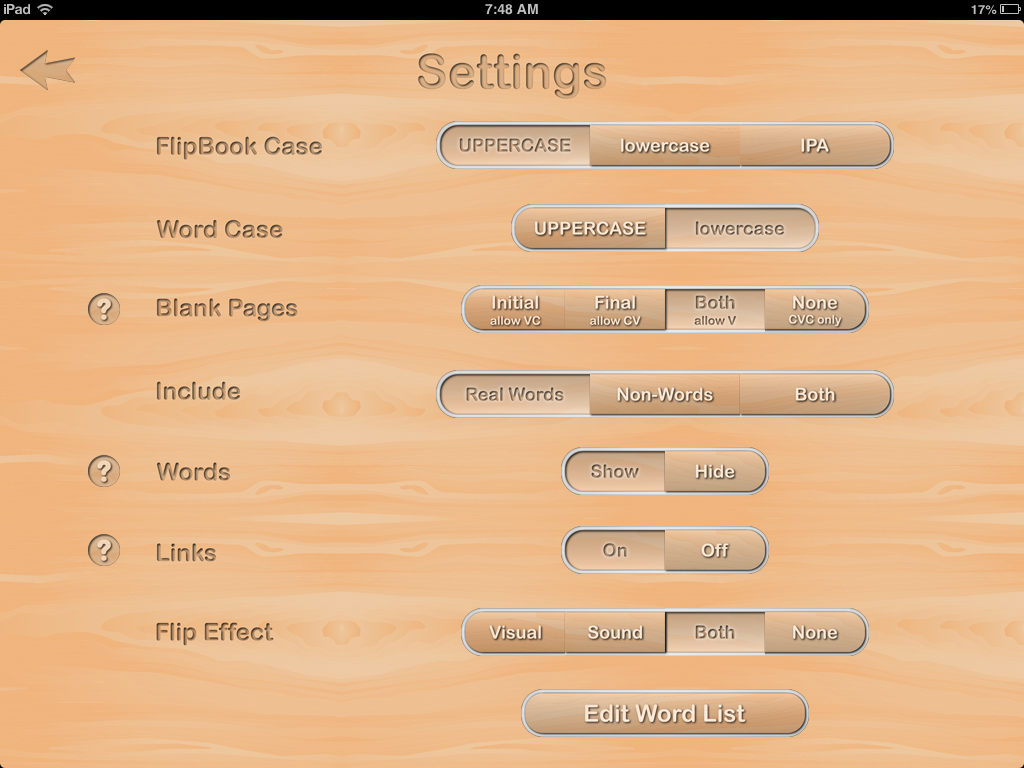
    The settings tab allows for additional options.  You can choose to have the letters shown in upper or lower case, you can put in a blank page if you choose not to use all three sections of the word and want to just work on CV words for example, and you can also choose to use real words, nonsense words, or both.  This is important in reading programs, because when  child can read nonsense words, they usually have the phonics skills they need to be good decoders.  If not, it helps them gain these phonics skills.  You can also edit the word list if you choose.

     For use with apraxia, it allows the client to practice sequencing sounds from the CV level (i.e bow), CVC level (shown left), all the way to complex syllable structures such as CCVCC (i.e switch).  In the options, you can choose any sounds in any position to keep or hide, and you can also choose to use only specific words.  This is a nice alternative for older clients including adults with apraxia, who may find most apraxia apps geared toward younger children.

    For use with reading, this app would be a good compliment to reading programs that use phonics principles such as Orton Gillingham approaches and the Wilson Reading Program.  Most SPED teachers have flash cards like this in which they switch out the sounds; however, kids love working on the iPad and I can see how they would like learning their digraphs or consonant clusters in this format.  I could also see this working well in a classroom in which each student has their own iPad, which is becoming more of a reality.
    In therapy the other day, I used it to work on phonemic awareness with an 8th grade student. I chose to flip by sound and kept the same nucleus and coda, and just had her flip the initial sound to get practice with rhyming.
    As an SLP, I could also use this app when working on accent reduction with adult clients.

    Other features include:
    Playback and record function
    Choice to show or not show the actual spelling of the word at the bottom

    What I Like
    This app has all the sound and sound combinations an SLP, parent, or teacher could need to work on any sounds in all positions of words.  There is also an IPA option (International Phonetic Alphabet), which is nice for those SLP’s working on accent reduction.  It is versatile in that it can be used by SLP’s, parents, and teachers.  It’s an affordable app that can compliment therapy and reading programs.
    What It’s Missing
    This app doesn’t have a lot of bells and whistles.  For those with older clients or students though, it may be just what you need so they don’t feel what they are working on is “too babyish.”  (For those in the special education field, we’ve all heard this at one point or another).
    There isn’t a data collection feature, or ability to store and save different user data.

    Overall this app delivers what is says, which is an affordable tool to compliment therapy and reading intervention for older children and adults.

  • Articulation Station App Review

    Articulation Station App Review

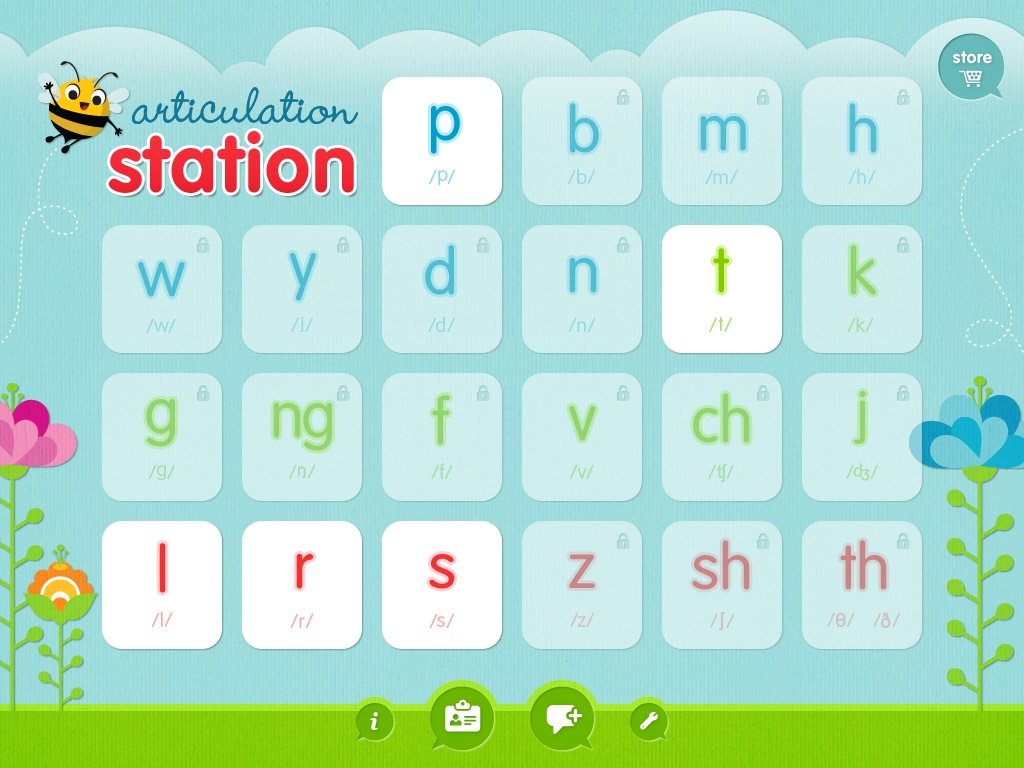
    Articulation Station is a comprehensive articulation app that I use quite a bit in therapy.  You can choose to purchase each consonant deck separately to save on cost. As you can see from this screen shot, I haven’t purchased all of the sounds myself; however, I did purchase ‘l’ ‘r’ and ‘s’ because those decks also contain blends, which I do use a lot in therapy.
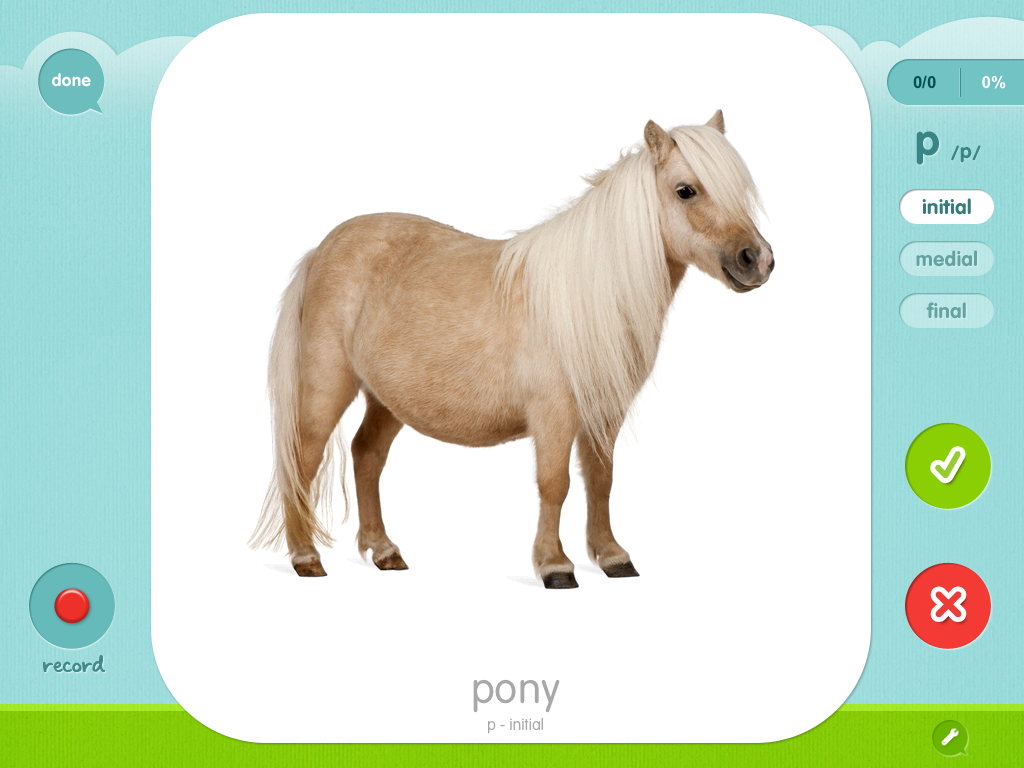
    I chose ‘P’ for the purposes of showing you all the things you can do with this app. First, you can choose to work on the sound in three different contexts: word, sentence, or story level.
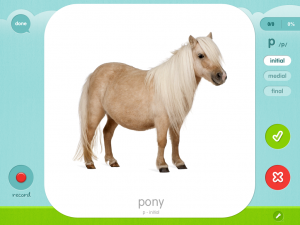
    At the word level, you can choose flashcards or choose to play a matching game.
    Once you’ve chosen your activity, you can isolate a sound position: initial, medial, or final.  There is also an option to sort the words in ascending syllable complexity. The app allows you to collect data by touching the green check or red X buttons seen on the left, and automatically calculates a percentage and puts it into a chart that you can email to yourself.  There is also an option to calculate word approximations that you can turn on in the settings menu if you choose. I’ve used this option with my kids who have difficulty with ‘r.’
    The is a group setting option that allows you to use this app with more than one child which is nice from an SLP perspective.  The kids’ names will be shown at the top in little tabs (not pictured here) if you are working with a group.
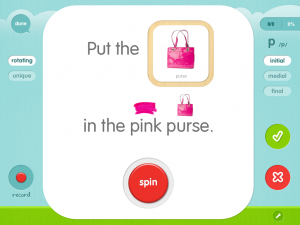
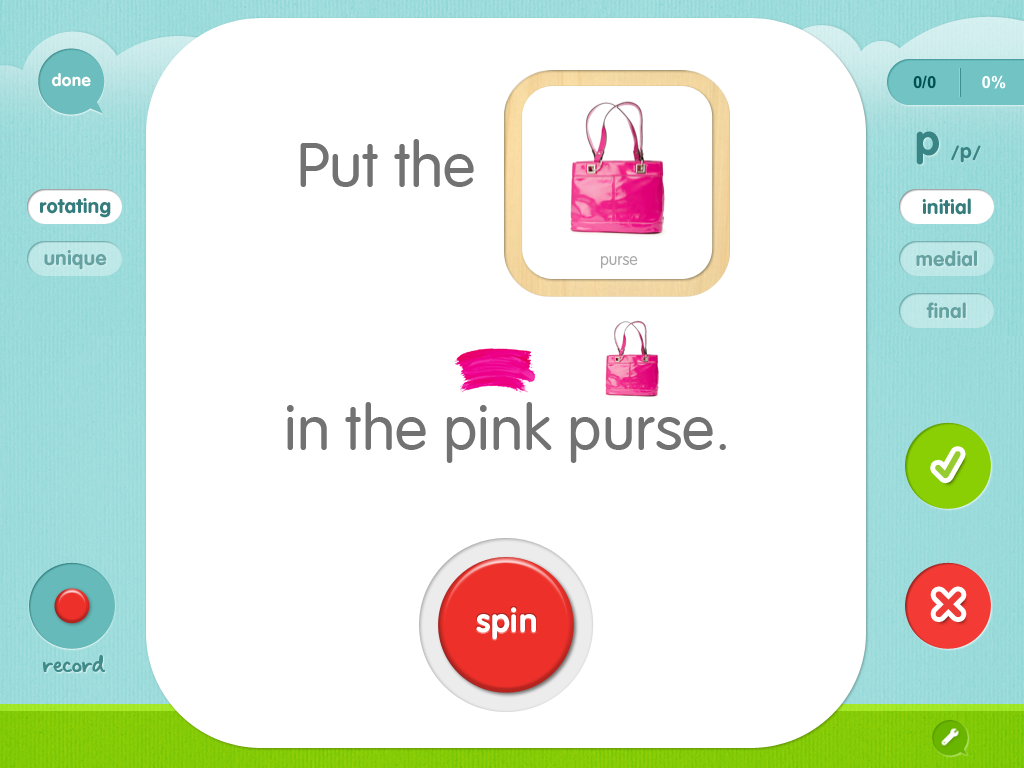
    The second option allows the child to practice the words in a sentence. There is an option to rotate the words in one sentence seen on the left (rotating) or to practice the words in a different sentence (unique). The first option is nice for my kids who may not be strong readers, but are at the sentence level in practicing their speech sounds, because they can remember the sentence and still get practice saying their sounds by reading at the sentence level. The second option is equally as nice for my stronger readers to practice saying their words correctly in a variety of sentences, promoting greater carryover. However, I can still use it with my younger kiddos because there is always an option to press the screen, and the words/sentences/stories will be read for them first allowing them to repeat if necessary.
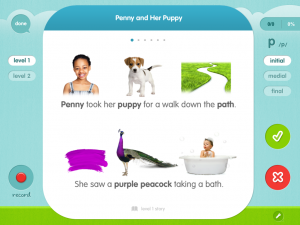
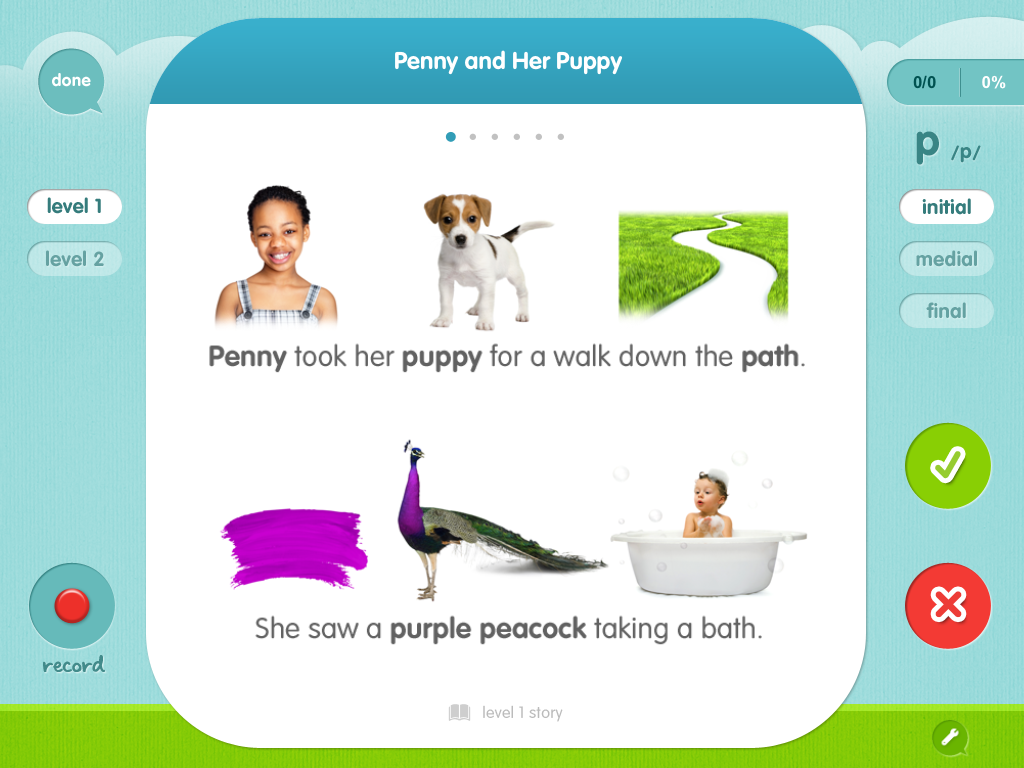
    Finally, there is a third setting for stories.  Once again, you have two options to choose from in this setting as well: Level 1 and Level 2.  Level 1 has a the story set in a rebus or picture format (on left) to help beginning readers practice their target sounds at a story level.  Level 2 is for a more proficient reader, and includes the target words in text. As mentioned above, there is always the option to touch the screen and have it read first if necessary.  The story modes also have comprehension questions at the end, which works on receptive language, but also requires the child to use one of the target sounds in their answer. This is also great to promote carryover, because it helps the child practice saying their sounds in a spontaneous production.

    Other features this app includes is a record/playback function, which is personally a must have for me.  I think it’s powerful to have the kids hear themselves say it.  Depending on their level, I might also have them score themselves.

    You can also modify the word lists, and include your own custom images.  However, custom images are only available if you have all the sound decks.

    Pros: Honestly, this is one of my favorite articulation therapy apps.  It contains almost every feature I can think of, with the option to turn any of them off or on depending on your preference.  I love the pictures, I like all the options, I like the ability to scaffold the sound productions for one syllable words  all the way up to the story level, and to be able to put them in the varying positions of the words.

    Cons: For me, there aren’t really any cons for me.  If I was being picky, it would be nice if the kids could make a profile that included their picture, but they usually recognize their name, so this isn’t a deal breaker. There also isn’t really a game or little reward, but the app is so colorful with interesting pictures and lots going on that my kids don’t seem to mind or get bored.

    Since a lot of my readers deal with apraxia, I have to say I don’t feel like this is the best app for apraxia, especially for those kids in the early CV, VC stages of production.  It doesn’t contain a lot of words with these basic syllable shapes, and it doesn’t have options for blocked practice like the apraxia apps will.  However, it’s important to note this app isn’t marketed as an apraxia app either.  It’s marketed as an articulation app, and I think for that purpose, it’s fantastic.  In fact, it’s probably my favorite.

    I would definitely recommend this app for SLP’s and parents to use with kids who have articulation and phonological processing delays.
                               

  • Speech Stickers App for Apraxia Review

    Speech Stickers App for Apraxia Review

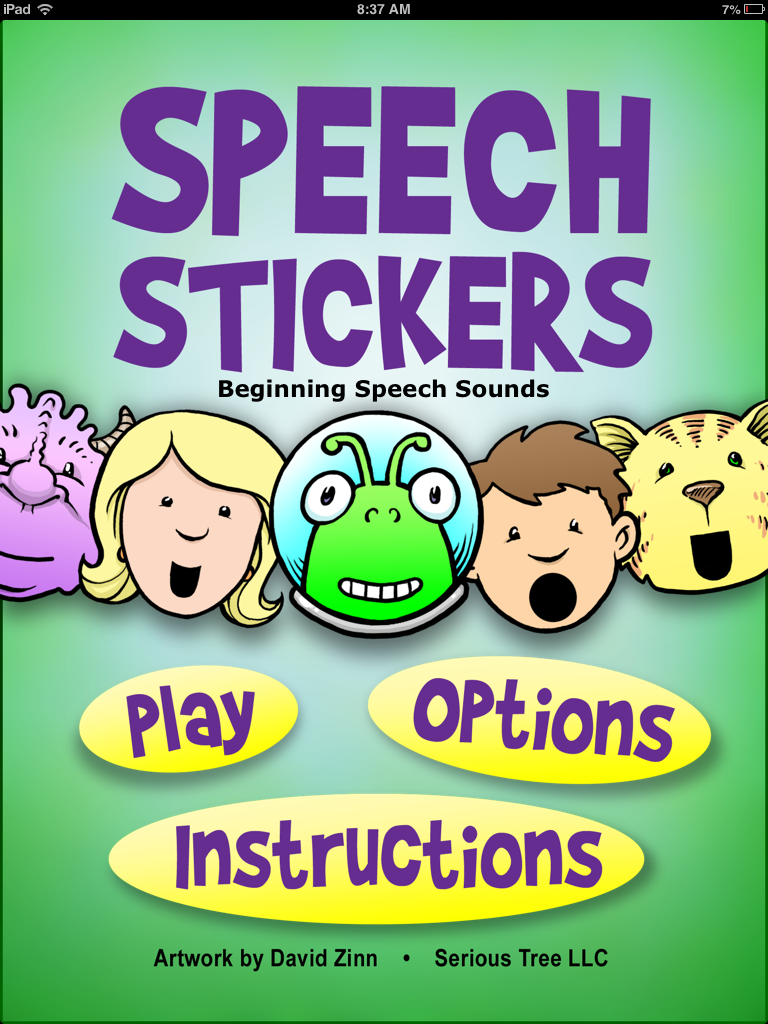
    Speech Stickers is the first app that I downloaded for Ashlynn (my daughter with apraxia) when she had first turned three.  I chose it because it was cheap, and said it was developed for children with apraxia.  The app is simple in design with not a lot of bells and whistles; however, my daughter loved practicing her speech with this app.

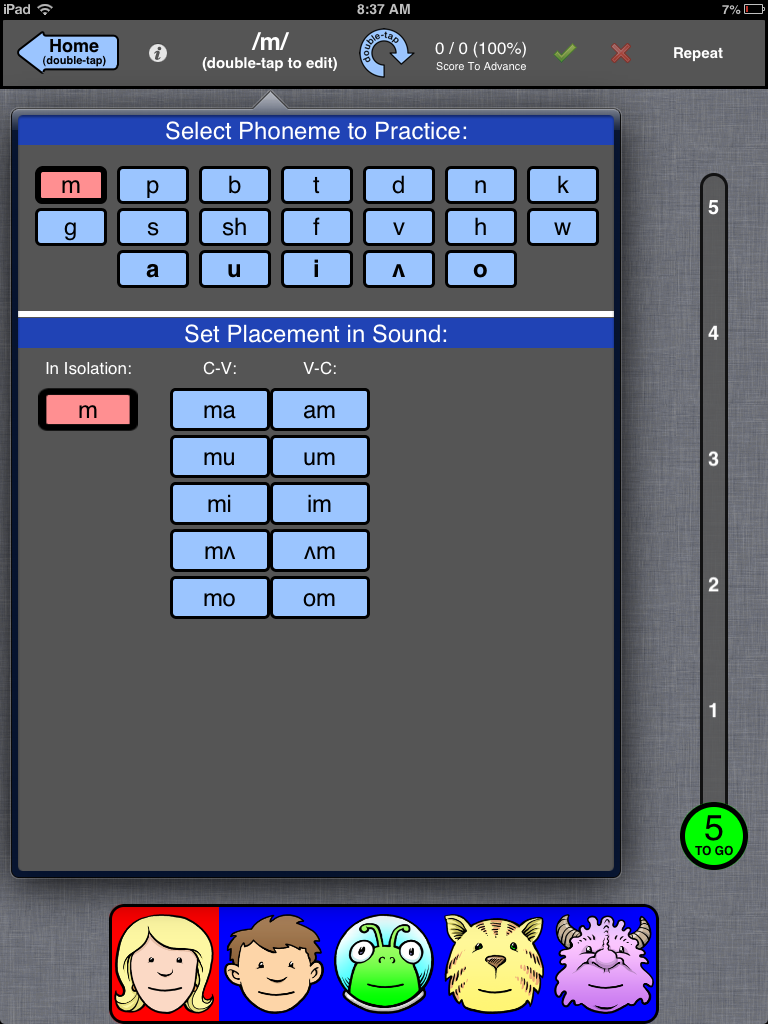
    The app is set up for kids in the very early stage of apraxia therapy.  The child can practice sounds in isolation and in CV(consonant-vowel) and VC(vowel-consonant) combos. The app is based around blocked practice with a lot of repetition that is necessary for apraxia therapy.

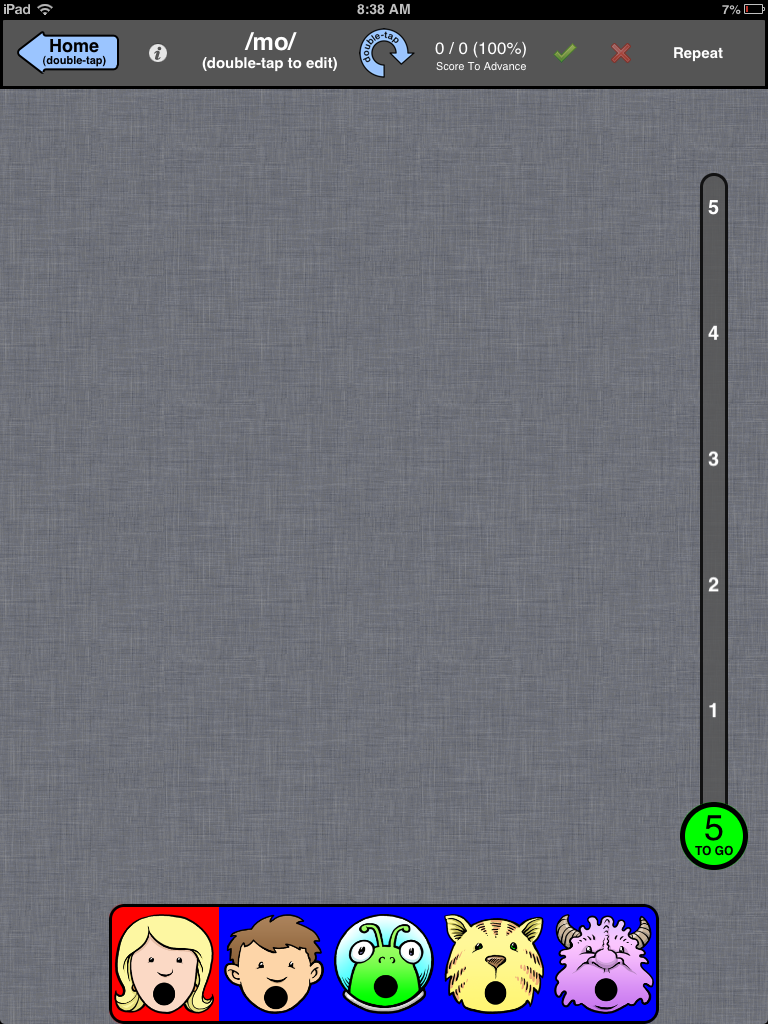
    After you pick your sound or sound combo, you can then decide how many times times the child has to say it before they get a “sticker” or a little animation as a reward.  Then, the child chooses between five characters on the bottom, all of which have a different pitch to their voice.  This is a bonus too, because children with apraxia have difficulty with “prosody” or the melody of speech.  The characters’ mouths model the correct placement.  The above picture is showing ‘m.’  Below the characters are modeling ‘mo.’ This is also great because it gives the kids a visual cue for the correct mouth posture.

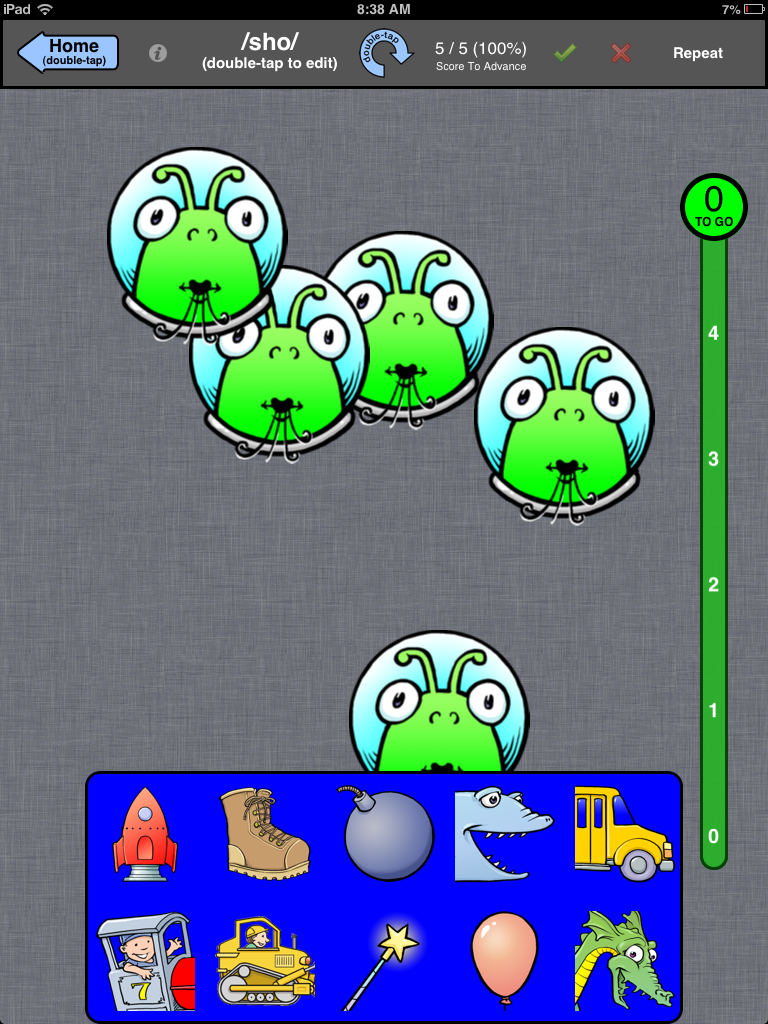
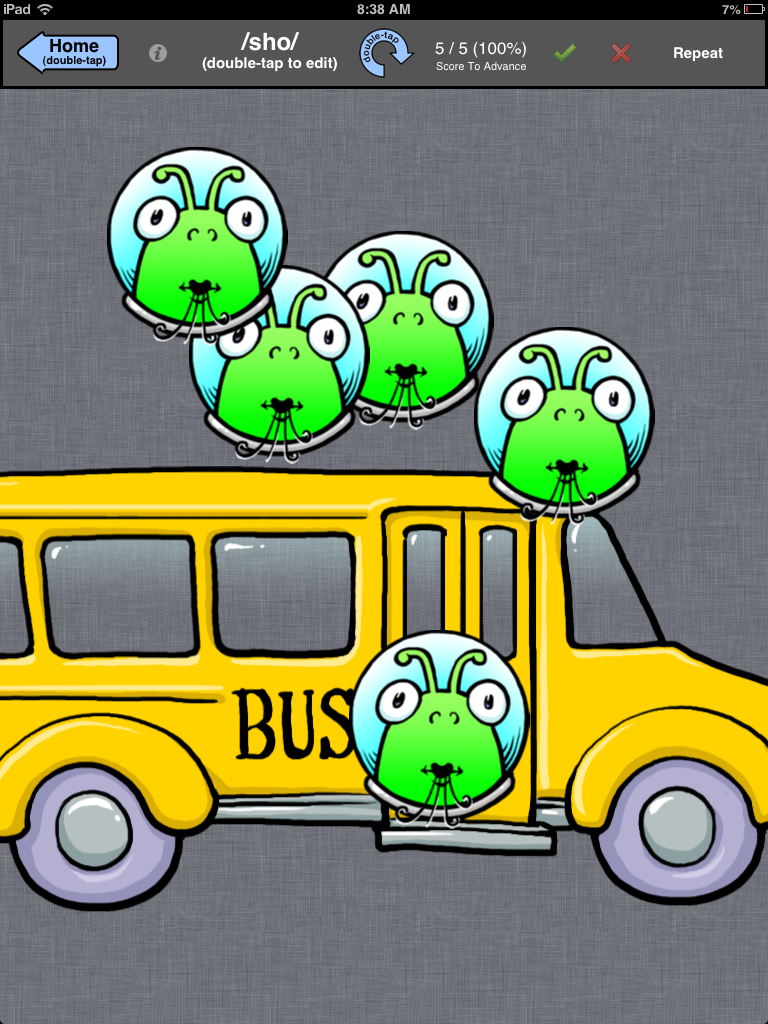
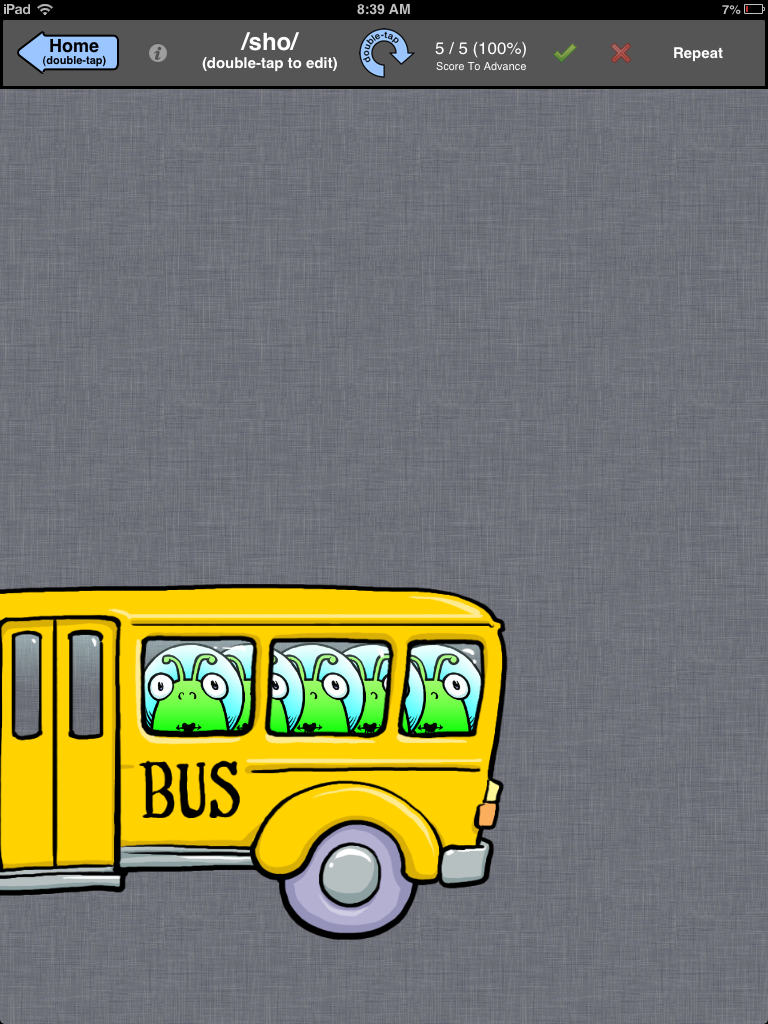
    A scoring bar at the top help score and keep track of data. You must press the green check or the red x to move onto the next practice sound.  The app is designed so that the bar can also turn upside down so that the therapist can discreetly score; however, my daughter picked up on this in a heartbeat and would push the buttons haphazardly just so she could move on!    Once you reach the set number you earn a “sticker” or reward.  You can choose from eight stickers seen below:

    They are so simple, but my daughter loved them.  I chose the bus just so you can get an idea of the animation.

    It has been almost three years since I have used this app for Ashlynn, but the app lives on with all of my clients!  Kids of all ages and disabilities LOVE this app.

    I have a 5th grade boy with Down Syndrome who laughs every time he earns a sticker and watches the animation.

    I have a 3 year old who loves picking the alien because it reminds him of a popular TV show right now “The Octonauts!”

    I could go on!  Really, I can’t say enough about this app, and when I reached out to the creator Carol Fast MSPA, CCC-SLP I realized why this app is soo good.  Here are some comments from her:

    “It’s truly been a labor of love for me and I’m always gratified to find that other SLPs appreciate what we do. I’m glad that you found Speech Stickers to be helpful for your daughter and other students.  I work mostly with preschoolers and have found a special interest and passion in my little nonverbal CAS kids. I really love helping find their true voice. This is probably the most rewarding work I’ve done in over 30 years as an SLP.”

    Thank you Carol!  Thank you for your passion for working with kids who have CAS and for a great app that allows us to get a lot of repetitions of targeted syllable shapes in a fun and engaging way for the kids.

    What I Love: 
    – Works on early developing syllable structures
    – It really helped us work on final consonants when my daughter wasn’t adding them.  Helped us get the final ‘n’ and final ‘t’
    – Gives a reward in the form of a short animation that is interesting to kids
    – Models different pitches and inflections, which is difficult for kids with apraxia

    What it’s Missing
    I would like the option for the child to record their voice
    – As an SLP, I would appreciate the option to email the data
    – It doesn’t include more complex syllable structures such as CVC and CVCV, so it’s only applicable for the early stages of therapy

    Impressions:
    This app was helpful during the early stages of therapy, when Ashlynn was struggling to sequence basic syllable structures.  She had just turned three, and was motivated to practice speech.  In addition, she loved the sticker rewards.  It did help us get those final consonants that she was struggling with too.
    As an SLP, I have also used this app with a five year old, and he enjoyed it too.  For the price, I would recommend this app if you have a kiddo in the early stages of therapy.

  • ApraxiaVille app review

    ApraxiaVille app review


    ApraxiaVille is an app from Smarty Ears, and is the newest speech app that I have downloaded to use at work and with Ashlynn my daughter with CAS.
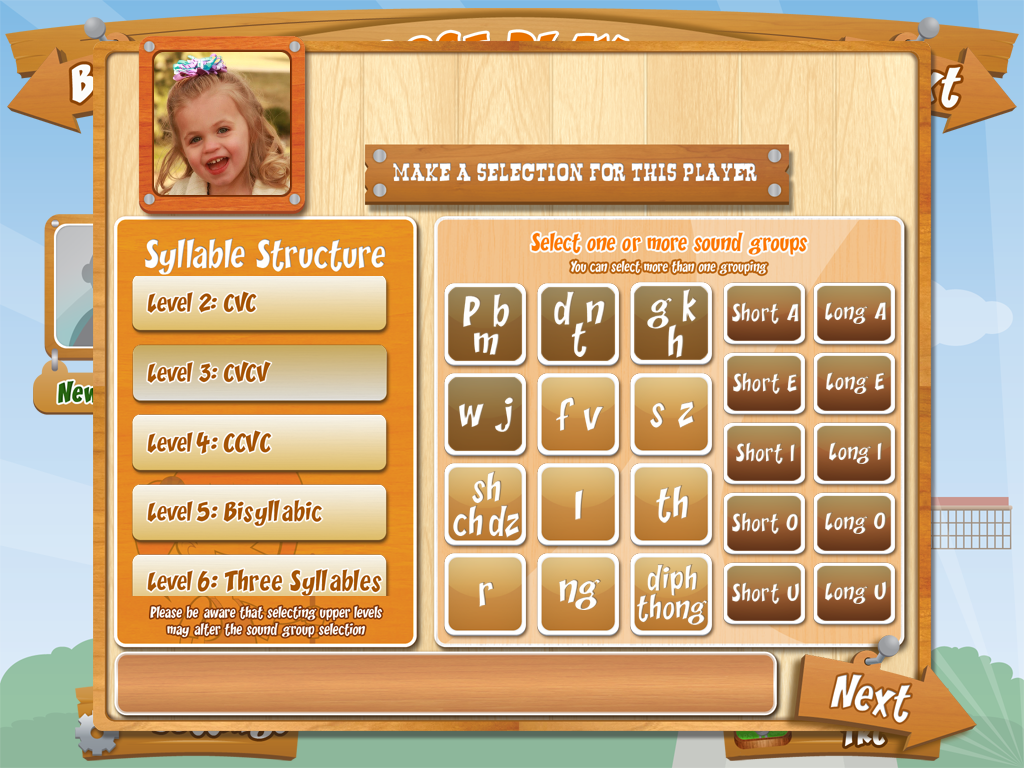
    To get started, you create your players.  You can make an avatar, or import your own picture.  The application allows up to four players, which is nice from an SLP perspective, since you can use it during group therapy.
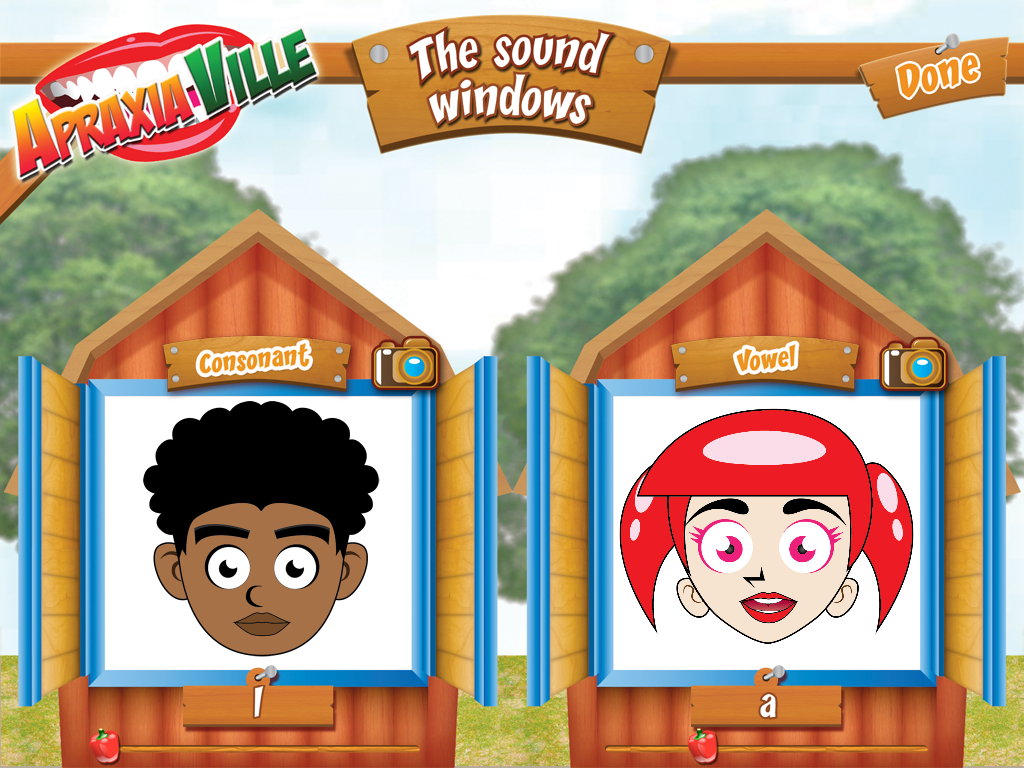
    Next, you choose your activity from a list of three.  The first activity is the sound windows, which allows the child to practice a sound.

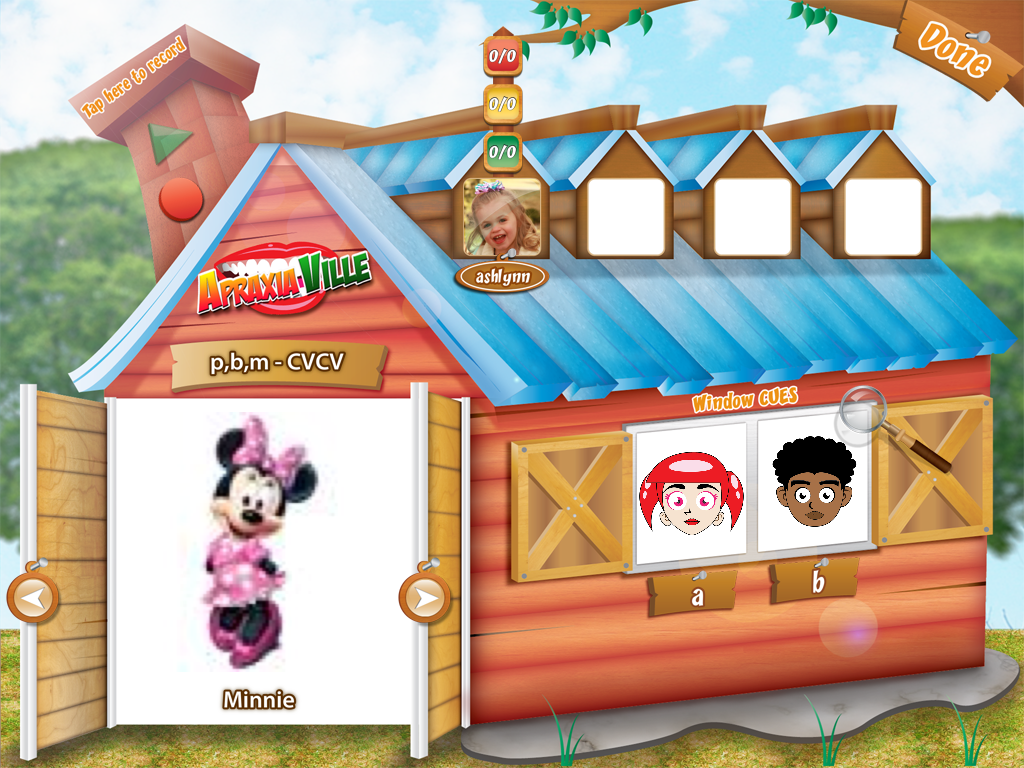
    The avatar gives the child a visual and audio cue on how to say the sound.  In the upper right corner is a camera, and if you press it, the child can see themselves in the window as they try to mimic how to say the sound.  I was a little skeptical about this, but I tried it with Ashlynn (my daughter who is 3 and 1/2) on a sound she hasn’t been able to say.  /f/  I have cued her and showed her the current production many times, but she loved seeing it on the avatar and then looking at herself in the camera.  Guess what?  We have /f/ in isolation!  Wahoo!

    The next activity is the Farm house.  In this activity, you can choose from a variety of syllable structures and sound groups.  This is exactly how apraxia therapy is usually structured, from easier consonant vowel combinations all the way to four syllable words.

    What I really like, is that you can customize it for the child.  For example, they have consonant groups, but if your child can’t produce one of them, you can go to settings and just choose the words you want your child to work on.  You can also add your own words and pictures to the rotation, which is also awesome.  My daughter has a tendency to drop medial ‘n’ and ‘d.’  She really likes Mickey Mouse Clubhouse, so I added pictures of Minnie and Toodles. Then you can record the name to correspond with the picture.  I also think this would be great if you wanted your child to practice family member names, pet names, etc.

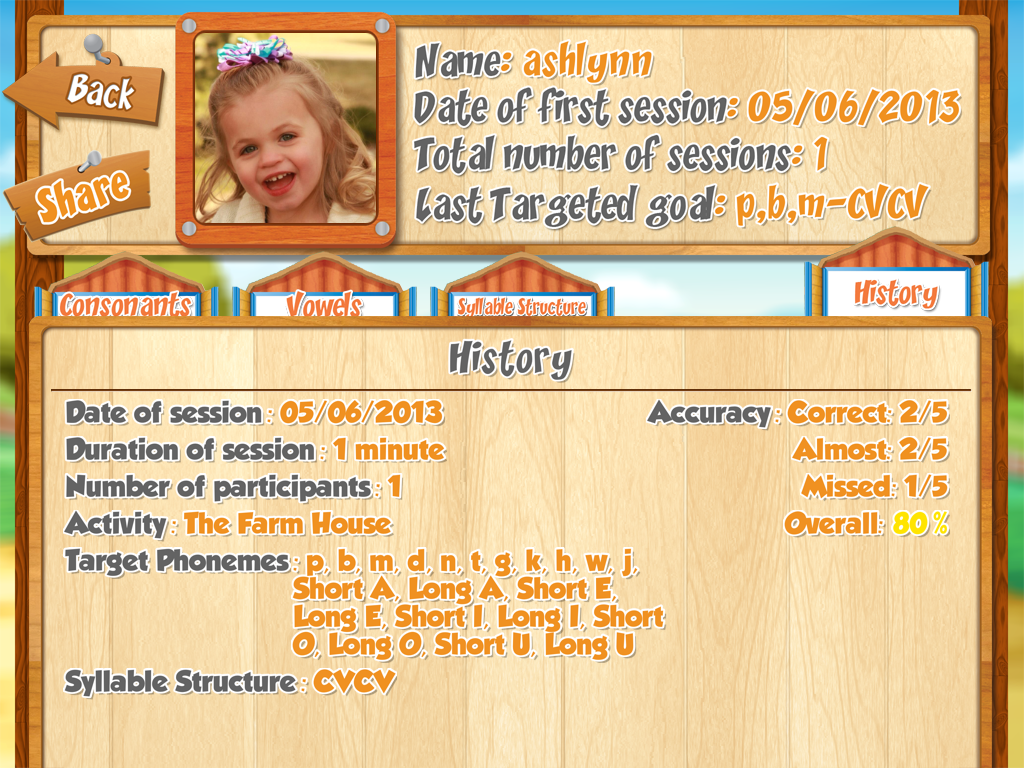
    Once in the farm house, you can practice the words.  A scoring system is set up above each child’s picture to record data.  There is a record feature in the chimney to record and playback the child’s production, and there are the avatars on the body of the barn to model appropriate production for a sound if needed.  After the activity, you can obtain a spreadsheet that collects the data with the option to email it.  I love this option as an SLP.

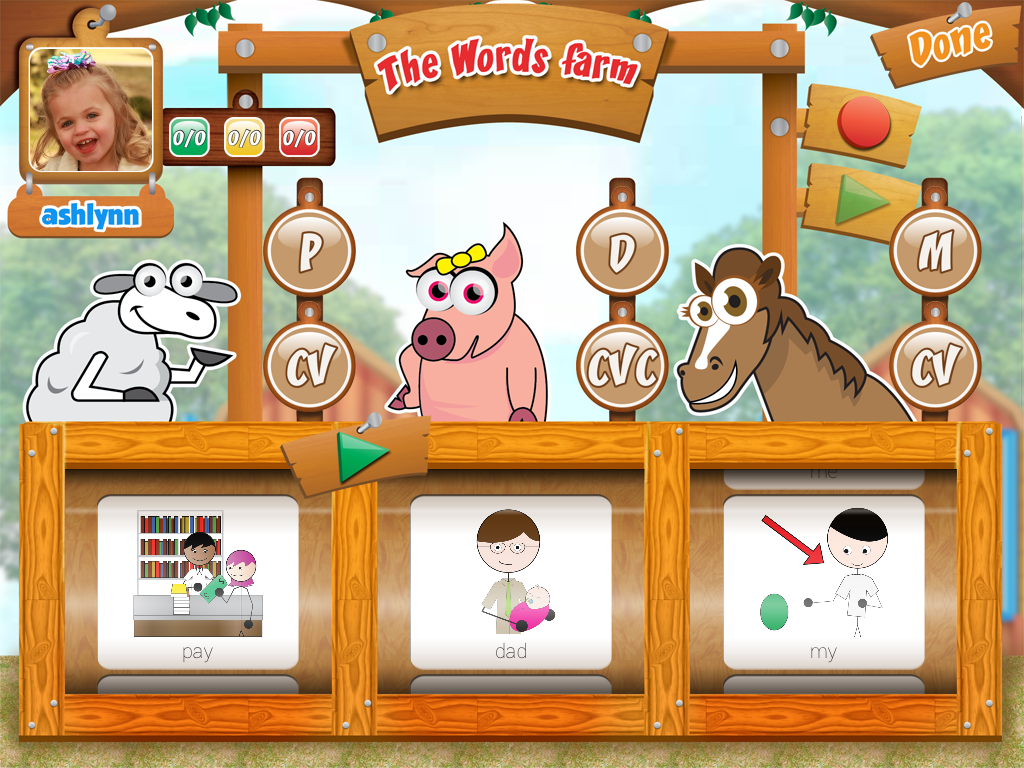
    Finally, the last activity is the Words Farm, where you can choose 2-3 words to practice.  This is great for doing targeted blocked and/or randomized practice necessary when using a motor based approach to therapy.  This activity only allows one child, but again there is a record/play function, and you can take data that will be generated into a spreadsheet at the end of the activity.

    What I Love:
    – Has practice items on a syllable structure hierarchy used with apraxia therapy
    – Can customize sound and syllable combinations to only include those in the child’s repertoire
    – Allows for adding your own additional pictures from your child’s own life with ability to record
    – Avatar’s give visual and auditory cues with a camera feature so the child can immediately practice
    – The second activity allows up to four players, which is helpful in group therapy
    – Data collection feature that is automatically generated into a spreadsheet and can be emailed and/or shared electronically

    What it’s Missing
    Though the app is colorful and visually appealing to kids, there really isn’t any game or reward to it.  It would be nice to have some fun reinforcement for practicing the words.

    Overall impressions
    Overall, I think this is a great app for young kids with Childhood Apraxia of Speech.  I would recommend this application to parents and SLP’s.